
NOTION4EVER
Notion4ever is a small python tool that allows you to free your content and export it as a collection of markdown and HTML files via the official Notion API.
✨
Features
-
Export ready to deploy static HTML pages from your Notion.so pages.
-
Supports nice urls.
-
Downloads all your Notion content, which is accessible via API to a raw JSON file.
-
Uses official Notion API (via notion-sdk-py, but you can use curls if you want).
-
Supports arbitrary page hierarchy.

-
Supports galleries and lists
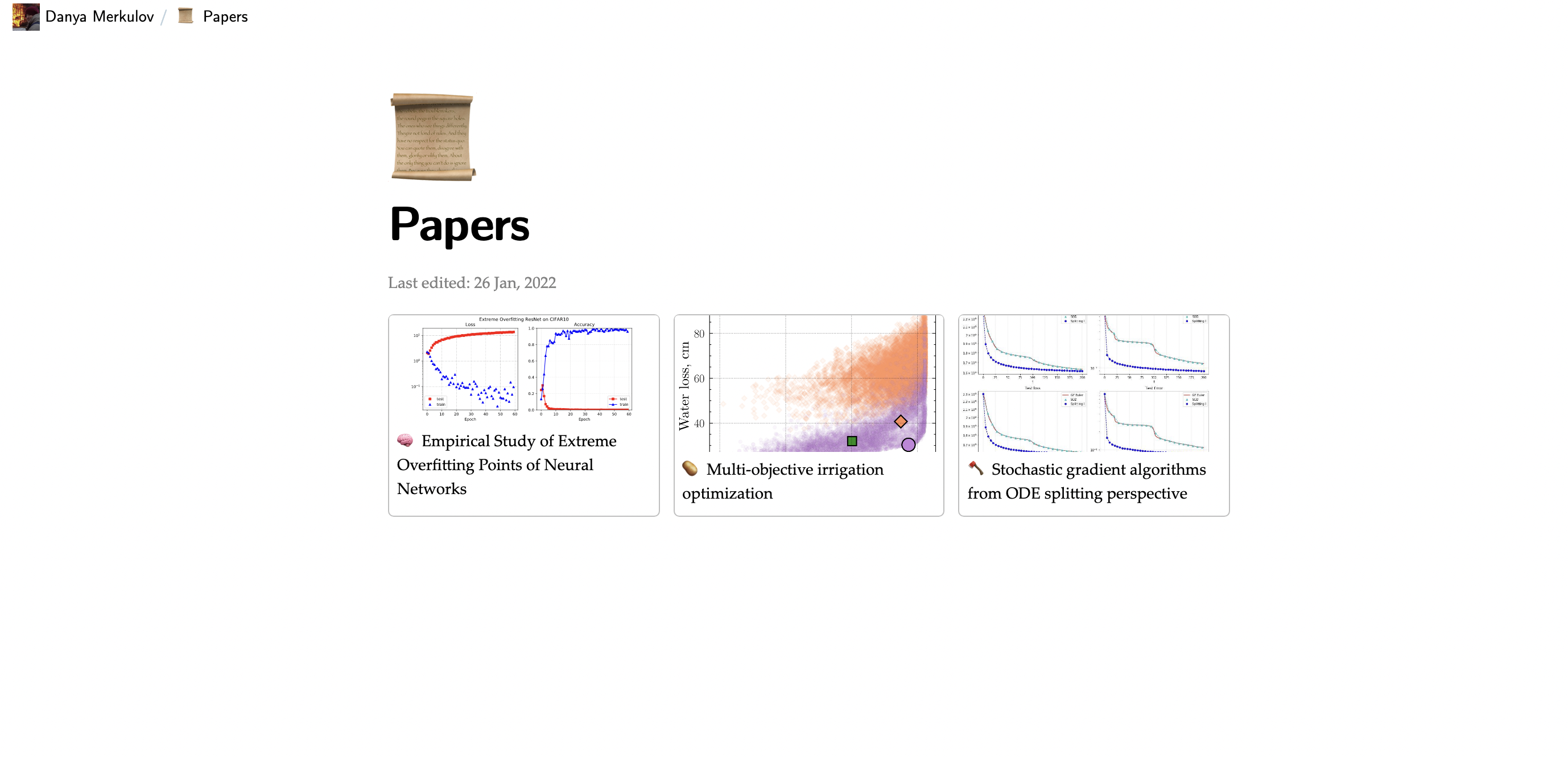
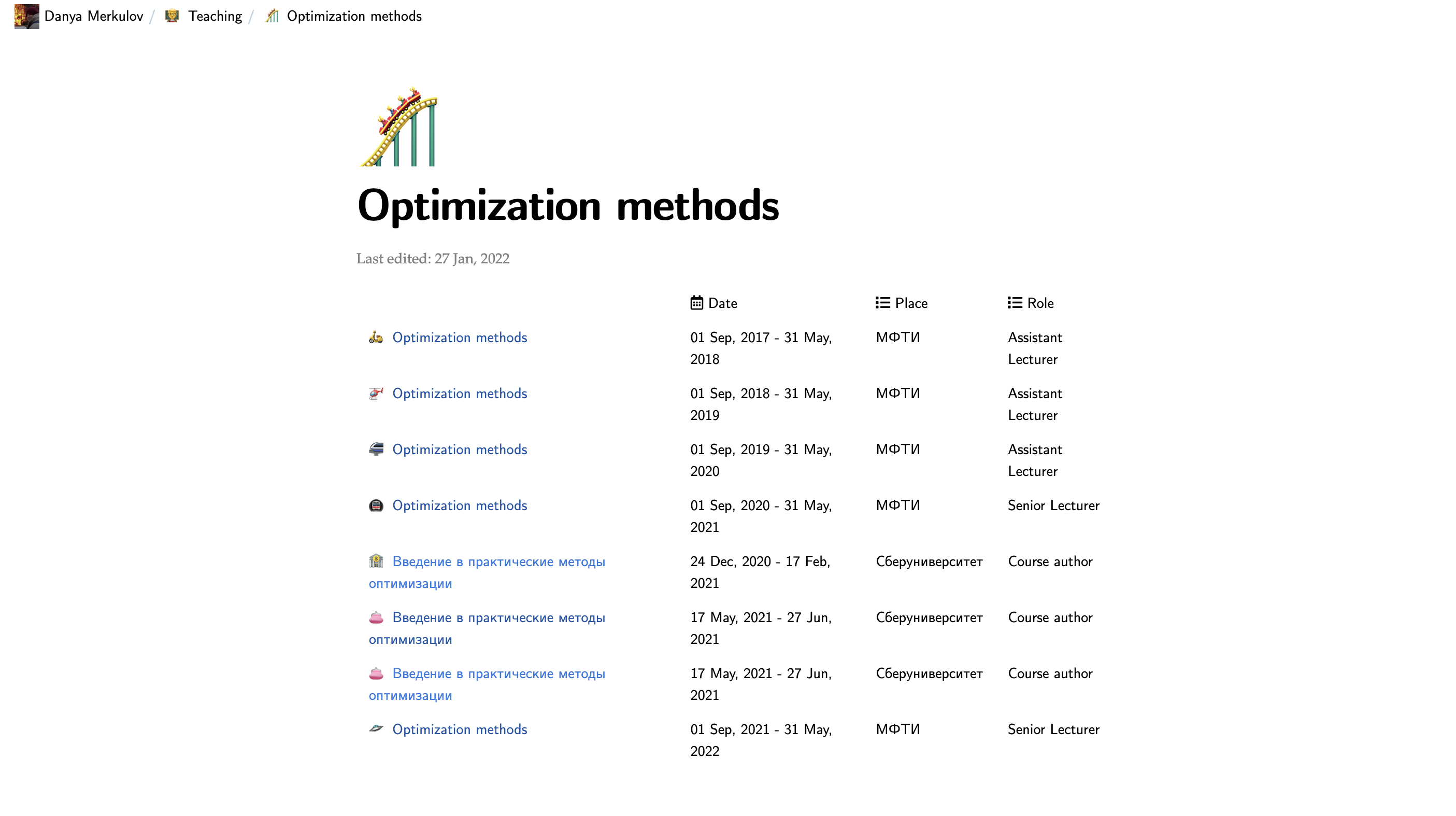
Note that Notion API does not provide information about the database view yet. That is why notion4ever will render the database as a list if any database entries do not have a cover. Suppose all entries have covers, then it will be displayed as a gallery.
-
Lightweight and responsive.
-
Downloads all your images and files locally (you can turn this off if you prefer to store images\files somewhere else).
💻
How to run it locally
Just copy or clone the content of this repository and run.
python -m notion4ever -n NOTION_TOKEN -p NOTION_PAGE_ID -bl True
🤖
How to run it automatically with Github actions
I will demonstrate it on the specific example of my site. Notion page -> Github repository Congratulations
✅
Step 1. Create/choose some page in Notion.
-
We will need the page ID. For example, the page with URL
https://fmin.notion.site/Danya-Merkulov-12e3d1659a444678b4e2b6a989a3c625has the following ID:12e3d1659a444678b4e2b6a989a3c625. -
Also, we will need to create a Notion API token. Go to Notion.so/my-integrations ->
Create new integration. Type the name of the integration and presssubmit. Now you can see your token, which starts withsecret_***under theInternal Integration Tokenfield.
✅
Step 2. Set up a repository for your static site.
In my case, it is github.com/MerkulovDaniil/merkulovdaniil.github.io/.
-
You need to specify your Notion settings in a Github action secret. Jump to the
Settings -> Secrets -> Actions -> New repository secretand create two secrets: a. NOTION_PAGE_ID b. NOTION_TOKEN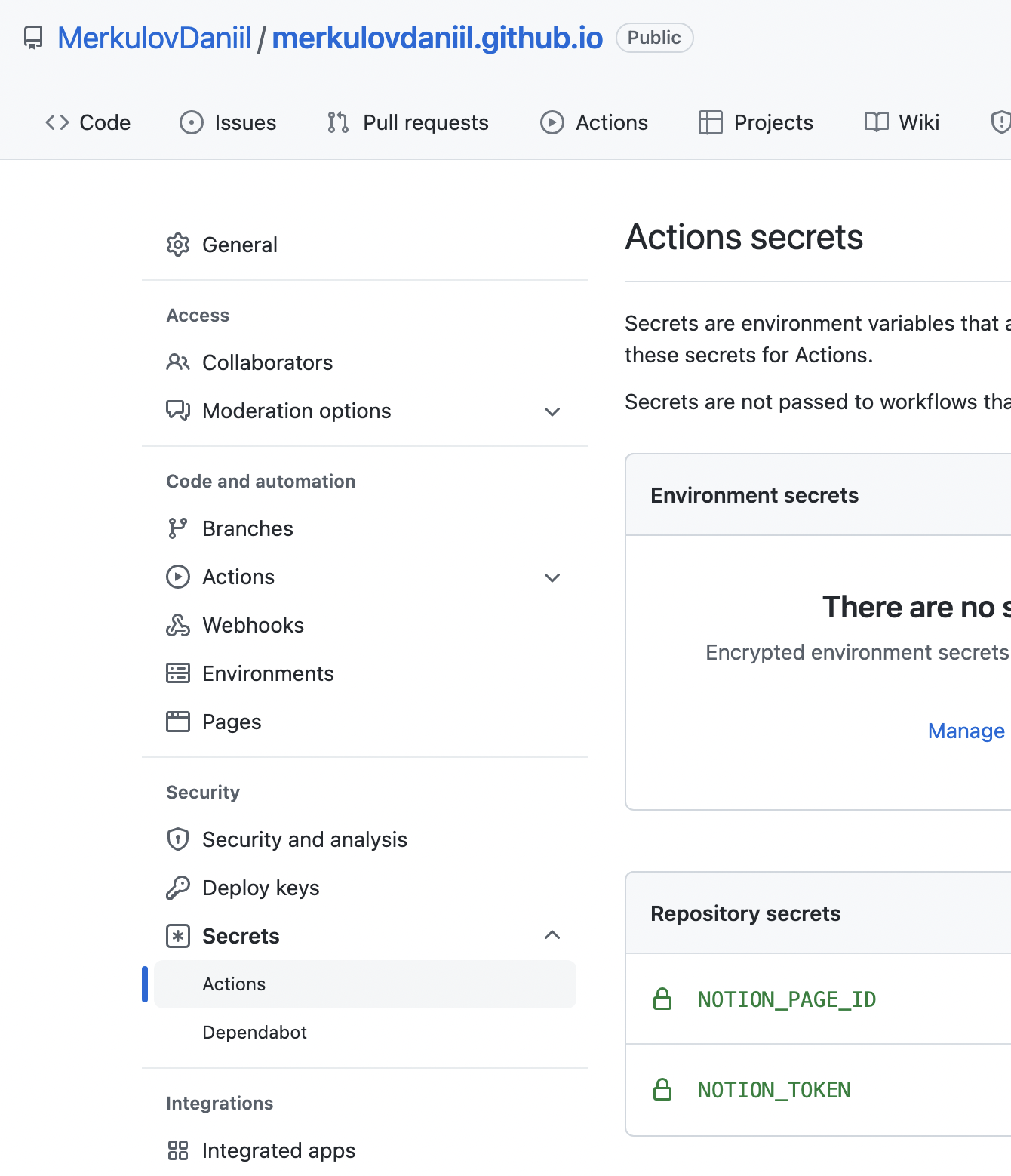
-
Create and configure the following GitHub action in your repository:
publish.yml
name: Deploy from Notion to Pages

# on: [workflow_dispatch]
on:
  schedule:
    - cron: "0 */12 * * *"

jobs:
  download_old-generate-push:
    runs-on: ubuntu-latest

    steps:
        # Download packages
      - name: Submodule Update
        run: |
          wget https://dl.google.com/linux/direct/google-chrome-stable_current_amd64.deb
          sudo apt install ./google-chrome-stable_current_amd64.deb
          sudo apt-get update

      - name: Set up Python
        uses: actions/[email protected]
        with:
          python-version: 3.10.0

      - name: Download notion4ever
        uses: actions/[email protected]
        with:
          repository: 'MerkulovDaniil/notion4ever'

      - name: Install packages
        run: pip install -r requirements.txt

      - name: Download current version of the site
        uses: actions/[email protected]
        with:
          # HERE, YOU NEED TO PLACE YOUR REPOSITORY
          repository: 'MerkulovDaniil/merkulovdaniil.github.io'
          # TARGET BRANCH
          ref: main
          # THE FOLDER, WHERE NOTION4EVER EXPORTS YOUR CONTENT BY DEFAULT
          path: _site

      - name: Run notion4ever
        run: python -m notion4ever
        env:
            # HERE YOU NEED TO PLACE URL OF THE ROOT PAGE. PROBABLY IT IS "https://<username>.github.io"
            SITE_URL: "https://merkulov.top"
            NOTION_TOKEN: ${{secrets.NOTION_TOKEN}}
            NOTION_PAGE_ID: ${{secrets.NOTION_PAGE_ID}}

      - name: Deploy to Pages
        uses: JamesIves/[email protected]
        with:
          GITHUB_TOKEN: ${{ secrets.GITHUB_TOKEN }}
          BRANCH: main
          FOLDER: _site
          COMMIT_MESSAGE: 🤖 Deployed via notion4ever.
This script will run every 12 hours, and you can change it. Note that the first run could be slow if your page contains a lot of content, but all the subsequent runs will not download existing files. Congratulations
🛠
How it works
- Given your notion token and ID of some page, notion4ever downloads all your content from this page and all nested subpages and saves it in a JSON file,
notion_content.json. - Given your raw Notion data, notion4ever structures the page's content and generates file
notion_structured.jsonwith markdown content of all pages and relations between them. Markdown parsing is done via modification of notion2md library. - Given structured notion content, notion4ever generates site from jinja templates located in
./_templatesdirectory. All styles are located in./_sassdirectory and compiled with libsass-python library. By default, site is located in./_sitedirectory
🌈
Alternatives
🆓
Free
- loconotion - Python tool to turn Notion.so pages into lightweight, customizable static websites.
- NotoCourse - properly configured github actions + structuring for loconotion.
- notablog - blog-oriented static site generator from Notion database.
- popsy.co - turns your Notion docs into a site with custom domain.
💰
Paid
- helpkit.so - turns your Notion docs into a hosted self-service knowledge base.
- float.so - turns your docs in Notion into online course.
- super.so - turns your Notion docs into a site.
- potion.so - turns your Notion docs into a site.
🦄
Examples
Please, add your sites here if you are using Notion4ever.
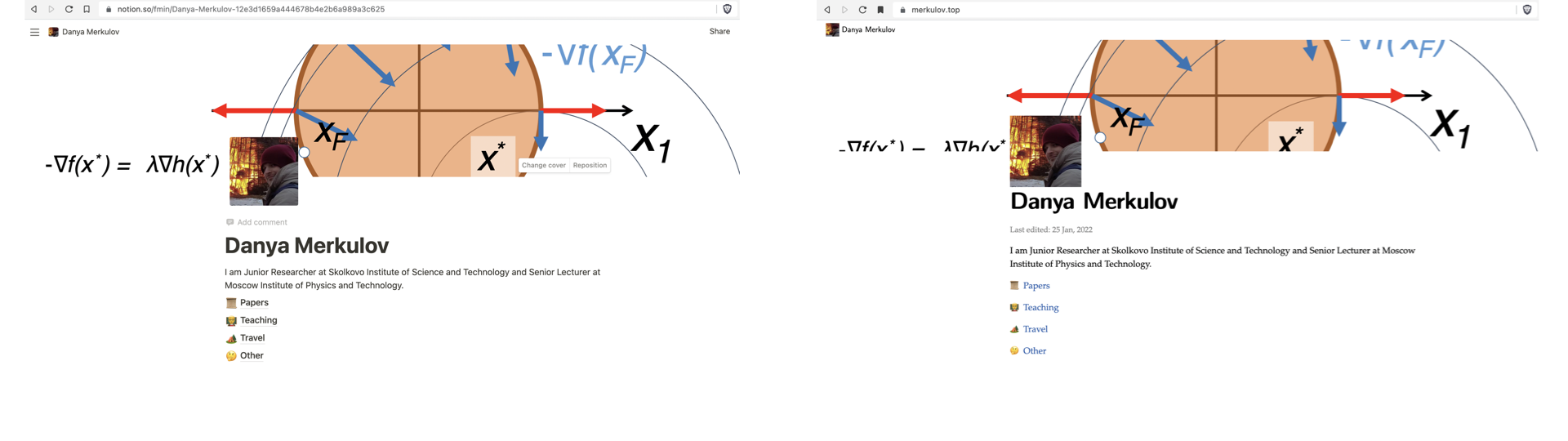
 Notion public page Notion public page |
Notion4ever web page |
|---|---|
| My personal page | My personal page |
ToDo
- Proper documentation.
- Create pip package.
- Add parralel files downloading.
- Add search field.

 0 Mar 30, 2022
 6 Nov 13, 2021
 5 Nov 22, 2022
 129 Dec 10, 2022
 206 Dec 31, 2022
 304 Jan 03, 2023
 1 Dec 04, 2021
 12 Aug 14, 2022
 3 Dec 27, 2021
 71 Nov 18, 2022
 4 Jan 31, 2022
 5 Oct 20, 2022
 3 Dec 31, 2021
 1 Jan 03, 2022
 4 Aug 22, 2022
 9 Sep 27, 2022
 9 Mar 10, 2022
 36 Dec 19, 2022
 8 Oct 21, 2022
 4 Nov 05, 2022