Web Scraping images using Selenium and Python
A propos de ce document
This is a markdown document about Web scraping images and videos using Selenium and python. The document summarizes the presentation which has been divided in 2 parts: general presentation and workshop (the workshop is the tutorial in the table of contents). Author :
- Nafaa BOUGRAINE Linkedin [email protected]
Markdown is a lightweight markup language based on the formatting conventions that people naturally use in emails. As written by John Gruber on the Markdown site
The overriding design goal for Markdown's formatting syntax is to make it as readable as possible. The idea is that a Markdown-formatted document should be publishable as-is, as plain text, without looking like it's been marked up with tags or formatting instructions.
Table of Contents
- Introduction
- Installation
- Setting the PATH code :
- Get the website :
- Login and Searchbox handling :
- Scroll down the profile :
- Get the URL posts :
- Download all of the posts :
- Running :
- Conclusion :
Introduction :
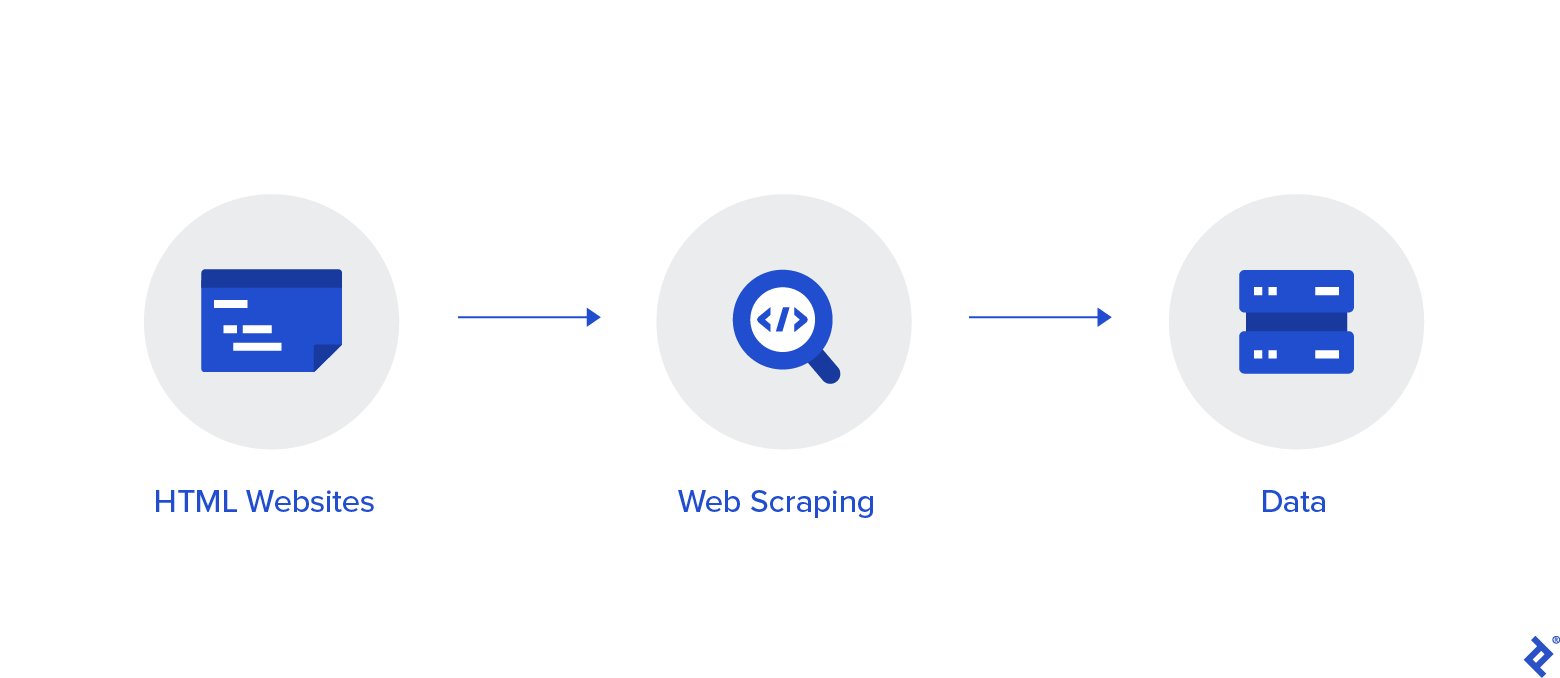
Selenium is a Python library and tool used for automating web browsers to do a number of tasks. One of such is web-scraping to extract useful data and information that may be otherwise unavailable.
Why using Selenium?
As we know that many tools can be used to scraping data from a website, and the three most popular from them are Scrapy, Beautifulsoup, and Selenium. However, each of them has the special ability for their action to scrape a website. Selenium is a powerful tool for scraping. It can handle automation in a complex way. For example, we need to log in to our Instagram account to scraping Instagram’s website. And surprisingly, selenium can handle it such as log in to our Instagram account automatically. Selenium is useful when you have to perform an action on a website such as :
- Clicking on buttons
- Filling forms
- Scrolling
- Taking a screenshot
Installation :
We will use Chrome in our example, so make sure you have it installed on your local machine:
Download webdriver:
One of the tools that we must prepare to run the selenium program is webdriver (for Chrome) or geckodriver (for Firefox). You can download it from here (for Chrome user).
Installing the required libraries:
First, we must install a selenium library on our terminal such as the code below:
pip install selenium
Once it has been done, then we must install some python libraries required such as time and requests like the code below:
pip install time
and
pip install requests
Great! Our scraping environment has been prepared, and let’s code!
Importing the libraries :
Here the code about importing the required libraries for scraping using selenium:
from selenium import webdriver
from selenium.webdriver.common.keys import Keys
import time, urllib.request
import requests
import os
import argparse
Setting the PATH code :
The PATH code is the code that aims to connect our code with the browser. Here the code about PATH is below:
# Configure environment variables path for chromedriver.exe
PATH = r"C:\Users\DELL\Desktop\Scrapping photos clothes\chromedriver.exe"
driver = webdriver.Chrome(PATH)
Or alternatively, if you saved your webdriver inside the root folder, you can simply type the following and skip the file_path specification:
driver = webdriver.Chrome()
Start Connection and Login :
Get the website :
After coding the PATH variable, then we must get Instagram’s website which is our scraping target. So, the code is below:
# Navigate to Instagram page
driver.get("https://www.instagram.com/")
This will launch Chrome in headfull mode (like regular Chrome, which is controlled by our Python code). You should see a message stating that the browser is controlled by automated software.
Login and Searchbox handling :
Since we’ve found the primary page of our Instagram account named home, then we must login with username and password,after that we must go to the Instagram account target by type the name of our Instagram account target in the search box located at the top of the display. Then, we must get the element of the search box to fill the blank box automatically.
#login and searchbox function
    def start_connection(self):
        driver.get("https://www.instagram.com/")
        time.sleep(3)
        username=driver.find_element_by_css_selector("input[name='username']")
        password=driver.find_element_by_css_selector("input[name='password']")
        username.clear()
        password.clear()
        username.send_keys(self.user)
        password.send_keys(self.pwd)
        driver.find_element_by_css_selector("button[type='submit']").click()
        #save your login info?
        time.sleep(5)
        driver.find_element_by_xpath("//button[contains(text(), 'Plus tard')]").click()
        #turn on notif
        time.sleep(5)
        driver.find_element_by_xpath("//button[contains(text(), 'Plus tard')]").click()
        #searchbox
        time.sleep(5)
        searchbox=driver.find_element_by_css_selector("input[placeholder='Rechercher']")
        searchbox.clear()
        searchbox.send_keys(self.page_name)
        time.sleep(3)
        searchbox.send_keys(Keys.ENTER)
        time.sleep(3)
        searchbox.send_keys(Keys.ENTER)
        time.sleep(3)
The code above explains that we started by login to our Instagram account, then we handled the search box automatically by creating the searchbox variable.
Scroll down the profile :
Since we have the profile page for the target user, we must think that we have already scraped this page soon. However, we must scroll down the page automatically first before. Here the code:
#scroll down
    def scroll_down(self):
        start = time.time()
        #driver = webdriver.Chrome()
        initialScroll = 0
        while True:
            driver.execute_script(f"window.scrollTo({initialScroll},{self.finalScroll})")
            # this command scrolls the window starting from the pixel value stored in the initialScroll variable to the pixel value stored at the finalScroll variable
            initialScroll = self.finalScroll
            self.finalScroll += 1
            # we will stop the script for 3 seconds so that the data can load
            time.sleep(3)
            end = time.time()
            # We will scroll for 20 seconds.You can change it as per your needs and internet speed
            if round(end - start) > 20:
                break
            # You can change it as per your needs and internet speed
If you want to scroll down the page automatically until the end of the page. Here the code:
#Scroll down to the end
scrolldown=driver.execute_script("window.scrollTo(0, document.body.scrollHeight);var scrolldown=document.body.scrollHeight;return scrolldown;")
match=False
while(match==False):
    last_count = scrolldown
    time.sleep(3)
    scrolldown = driver.execute_script("window.scrollTo(0, document.body.scrollHeight);var scrolldown=document.body.scrollHeight;return scrolldown;")
    if last_count==scrolldown:
        match=True
Get the URL posts :
Now, time to get these URL posts which are posted in the instagram page. First, we must create the empty box which is used to accommodate all the URL posts named posts. Then, we create the links variable which is to get all the elements that have the tag name “a”. Then, create the for loop function to get all the URL posts. Thus, create a folder so that we can group the downloaded images by following the code below.
    def fetch_links(self, posts = []):
        #driver = webdriver.Chrome()
        links = driver.find_elements_by_tag_name('a')
        for link in links:
            post = link.get_attribute('href')
            if '/p/' in post:
                posts.append( post )
        try:
            os.mkdir(self.folder_name)
        except:
            print("Folder Exist with that name!")
            self.folder_name = input("Enter another Folder Name:- ")
        return(posts)
Download all of the posts :
Lastly, we must download all of the posts on there, and save them to our directory. So, the code is in below:
    def download_images(self, posts):
        #driver = webdriver.Chrome()
        download_url = ''
        for post in posts:
            driver.get(post)
            shortcode = driver.current_url.split("/")[-2]
            time.sleep(7)
            download_url = driver.find_element_by_css_selector("img[style='object-fit:cover;']").get_attribute()
            urllib.request.urlretrieve( download_url, './'+self.folder_name+'/{}.jpg'.format(shortcode))
            time.sleep(5)
The Main Function :
if __name__ == '__main__':
    parser = argparse.ArgumentParser(description="Runnnig...")
    parser.add_argument(
        "--user-email",
        "-U",
        help="Enter your username to login",
    )
    parser.add_argument(
        "--password",
        "-P",
        help="Enter your password to login",
        default="tracing",
    )
    parser.add_argument(
        "--instagram-page",
        "-I",
        default="",
        help="Enter the name of the page that you wanna scrap !!"
    )
    parser.add_argument("--scrolls-number",
        "-S",
        default=1,
        type=int,
        help="Enter the number of scroll down to the bottom of the page you want !!"
    )
    parser.add_argument("--export-folder",
        "-E",
        help="enter a enter a file name to create and store the scrapped images in this file."
    )
    args = parser.parse_args()
    images = MyScrapper(args.user_email,args.password,args.instagram_page,args.scrolls_number,args.export_folder)
    images.start_connection()
    images.scroll_down()
    posts = images.fetch_links()
    images.download_images(posts)
Running :
Open terminal in the directory of scraper.py and enter: In the first argument enter your instagram username after typing -U or -user-email, in the second enter the password after typing -P or -password, in the third enter the name of the page you want to scrape after typing -I or -instagram-page, in the fourth argument enter the number of scroll down to the bottom of the page you want after typing -S or -scrolls-number it must be an integer, and the last argument enter a file name after typing -E or -export-folder to create and store the scrapped images in this file.
python scrap.py -U "us[email protected]" -P "Your password" -I "The page" -S 5 -E "file1"
Go grab a cup of coffee while waiting... oh wait, it's already done!
For more informations run this command :
python scrap.py --help
Conclusion :
Finally, we have got all about the code completely in here. Here the code:
from selenium import webdriver
from selenium.webdriver.common.keys import Keys
import time, urllib.request
import os
import sys
import logging
import argparse

driver = webdriver.Chrome()
logging.basicConfig(level=logging.DEBUG)

class MyScrapper :
    global driver
    def __init__(self, user, pwd, page_name, finalScroll, folder_name):
        self.folder_name = folder_name
        self.user = user
        self.pwd = pwd
        self.page_name = page_name
        self.finalScroll = int(finalScroll)
        self.driver = driver

    def start_connection(self):
        driver.get("https://www.instagram.com/")
        time.sleep(5)
        username=driver.find_element_by_css_selector("input[name='username']")
        password=driver.find_element_by_css_selector("input[name='password']")
        username.clear()
        password.clear()
        username.send_keys(self.user)
        password.send_keys(self.pwd)
        driver.find_element_by_css_selector("button[type='submit']").click()
        #save your login info?
        time.sleep(10)
        driver.find_element_by_xpath("//button[contains(text(), 'Plus tard')]").click()
        #turn on notif
        time.sleep(10)
        driver.find_element_by_xpath("//button[contains(text(), 'Plus tard')]").click()
        #searchbox
        time.sleep(5)
        searchbox=driver.find_element_by_css_selector("input[placeholder='Rechercher']")
        searchbox.clear()
        searchbox.send_keys(self.page_name)
        time.sleep(5)
        searchbox.send_keys(Keys.ENTER)
        time.sleep(5)
        searchbox.send_keys(Keys.ENTER)
        time.sleep(5)
        # will be used in the while loop

    def scroll_down(self):
        start = time.time()
        #driver = webdriver.Chrome()
        initialScroll = 0
        while True:
            driver.execute_script(f"window.scrollTo({initialScroll},{self.finalScroll})")
            # this command scrolls the window starting from the pixel value stored in the initialScroll variable to the pixel value stored at the finalScroll variable
            initialScroll = self.finalScroll
            self.finalScroll += 1
            # we will stop the script for 3 seconds so that the data can load
            time.sleep(3)
            end = time.time()
            # We will scroll for 20 seconds.You can change it as per your needs and internet speed
            if round(end - start) > 20:
                break
            # You can change it as per your needs and internet speed

    def fetch_links(self, posts = []):
        #driver = webdriver.Chrome()
        links = driver.find_elements_by_tag_name('a')
        for link in links:
            post = link.get_attribute('href')
            if '/p/' in post:
                posts.append( post )
        try:
            os.mkdir(self.folder_name)
        except:
            print("Folder Exist with that name!")
            self.folder_name = input("Enter another Folder Name:- ")
        return(posts)

    def download_images(self, posts):
        #driver = webdriver.Chrome()
        download_url = ''
        for post in posts:
            driver.get(post)
            shortcode = driver.current_url.split("/")[-2]
            time.sleep(7)
            download_url = driver.find_element_by_css_selector("img[style='object-fit: cover;']").get_attribute('src')
            urllib.request.urlretrieve( download_url, './'+self.folder_name+'/{}.jpg'.format(shortcode))
            time.sleep(5)

if __name__ == '__main__':
    parser = argparse.ArgumentParser(description="Runnnig...")
    parser.add_argument(
        "--user-email",
        "-U",
        help="Enter your username to login",
    )
    parser.add_argument(
        "--password",
        "-P",
        help="Enter your password to login",
        default="tracing",
    )
    parser.add_argument(
        "--instagram-page",
        "-I",
        default="",
        help="Enter the name of the page that you wanna scrap !!"
    )
    parser.add_argument("--scrolls-number",
        "-S",
        default=1,
        type=int,
        help="Enter the number of scroll down to the bottom of the page you want !!"
    )
    parser.add_argument("--export-folder",
        "-E",
        help="enter a enter a file name to create and store the scrapped images in this file."
    )
    args = parser.parse_args()
    images = MyScrapper(args.user_email,args.password,args.instagram_page,args.scrolls_number,args.export_folder)
    images.start_connection()
    images.scroll_down()
    posts = images.fetch_links()
    images.download_images(posts)
The end ! Thank you all NOTE: Web Scraping from many websites is Illegal. This project is just for Learning and Fun.

 46 Nov 22, 2022
 1 Dec 07, 2021
 5.2k Jan 03, 2023
 2 Nov 22, 2021
 150 Oct 15, 2022
 25 Oct 31, 2022
 23 Sep 15, 2022
 28 Oct 10, 2022
 33 Sep 03, 2022
 19 Nov 17, 2022
 590 Jan 03, 2023
 3 Jun 04, 2022
 1 Dec 05, 2021
 1 Nov 28, 2021
 1 Jan 17, 2022
 15 Sep 01, 2022
 0 Jul 23, 2022
 2 Dec 13, 2021
 20 Jul 30, 2022
 10 Jul 06, 2022