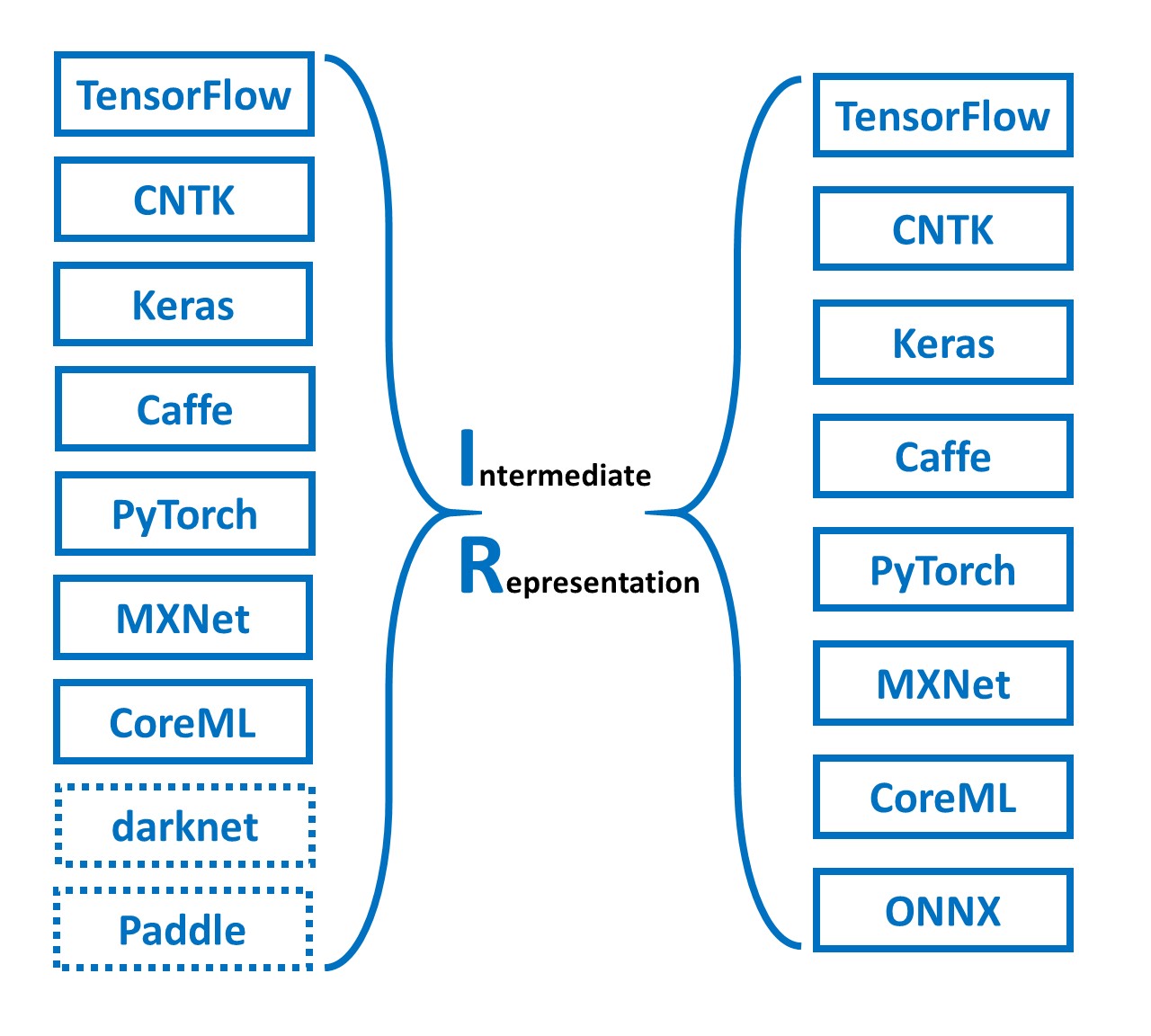
Simple tool to combine(merge) onnx models. Simple Network Combine Tool for ONNX.

Overview

snc4onnx

Simple tool to combine(merge) onnx models. Simple Network Combine Tool for ONNX.

https://github.com/PINTO0309/simple-onnx-processing-tools

Downloads GitHub PyPI CodeQL

1. Setup

1-1. HostPC

### option
$ echo export PATH="~/.local/bin:$PATH" >> ~/.bashrc \
&& source ~/.bashrc

### run
$ pip install -U onnx \
&& pip install -U onnx-simplifier \
&& python3 -m pip install -U onnx_graphsurgeon --index-url https://pypi.ngc.nvidia.com \
&& pip install -U snc4onnx

1-2. Docker

### docker pull
$ docker pull pinto0309/snc4onnx:latest

### docker build
$ docker build -t pinto0309/snc4onnx:latest .

### docker run
$ docker run --rm -it -v `pwd`:/workdir pinto0309/snc4onnx:latest
$ cd /workdir

2. CLI Usage

$ snc4onnx -h

usage:
  snc4onnx [-h]
    --input_onnx_file_paths INPUT_ONNX_FILE_PATHS [INPUT_ONNX_FILE_PATHS ...]
    --srcop_destop SRCOP_DESTOP [SRCOP_DESTOP ...]
    [--op_prefixes_after_merging OP_PREFIXES_AFTER_MERGING [OP_PREFIXES_AFTER_MERGING ...]]
    [--output_onnx_file_path OUTPUT_ONNX_FILE_PATH]
    [--output_of_onnx_file_in_the_process_of_fusion]
    [--non_verbose]

optional arguments:
  -h, --help
    show this help message and exit

  --input_onnx_file_paths INPUT_ONNX_FILE_PATHS [INPUT_ONNX_FILE_PATHS ...]
    Input onnx file paths. At least two onnx files must be specified.

  --srcop_destop SRCOP_DESTOP [SRCOP_DESTOP ...]
    The names of the output OP to join from and the input OP to join to are
    out1 in1 out2 in2 out3 in3 .... format.
    In other words, to combine model1 and model2,
    --srcop_destop model1_out1 model2_in1 model1_out2 model2_in2
    Also, --srcop_destop can be specified multiple times.
    The first --srcop_destop specifies the correspondence between model1 and model2,
    and the second --srcop_destop specifies the correspondence
    between model1 and model2 combined and model3.
    It is necessary to take into account that the prefix specified
    in op_prefixes_after_merging is given at the beginning of each OP name.
    e.g. To combine model1 with model2 and model3.
    --srcop_destop model1_src_op1 model2_dest_op1 model1_src_op2 model2_dest_op2 ...
    --srcop_destop comb_model12_src_op1 model3_dest_op1 comb_model12_src_op2 model3_dest_op2 ...

  --op_prefixes_after_merging OP_PREFIXES_AFTER_MERGING [OP_PREFIXES_AFTER_MERGING ...]
    Since a single ONNX file cannot contain multiple OPs with the same name,
    a prefix is added to all OPs in each input ONNX model to avoid duplication.
    Specify the same number of paths as input_onnx_file_paths.
    e.g. --op_prefixes_after_merging model1_prefix model2_prefix model3_prefix ...

  --output_onnx_file_path OUTPUT_ONNX_FILE_PATH
    Output onnx file path.

  --output_of_onnx_file_in_the_process_of_fusion
    Output of onnx files in the process of fusion.

  --non_verbose
    Do not show all information logs. Only error logs are displayed.

3. In-script Usage

$ python
>>> from snc4onnx import combine
>>> help(combine)

Help on function combine in module snc4onnx.onnx_network_combine:

combine(
  srcop_destop: List[str],
  op_prefixes_after_merging: Union[List[str], NoneType] = [],
  input_onnx_file_paths: Union[List[str], NoneType] = [],
  onnx_graphs: Union[List[onnx.onnx_ml_pb2.ModelProto], NoneType] = [],
  output_onnx_file_path: Union[str, NoneType] = '',
  output_of_onnx_file_in_the_process_of_fusion: Union[bool, NoneType] = False,
  non_verbose: Union[bool, NoneType] = False
) -> onnx.onnx_ml_pb2.ModelProto

    Parameters
    ----------
    srcop_destop: List[str]
        The names of the output OP to join from and the input OP to join to are
        [["out1","in1"], ["out2","in2"], ["out3","in3"]] format.

        In other words, to combine model1 and model2,
        srcop_destop =
            [
                ["model1_out1_opname","model2_in1_opname"],
                ["model1_out2_opname","model2_in2_opname"]
            ]

        The first srcop_destop specifies the correspondence between model1 and model2,
        and the second srcop_destop specifies the correspondence
        between model1 and model2 combined and model3.
        It is necessary to take into account that the prefix specified
        in op_prefixes_after_merging is given at the beginning of each OP name.

        e.g. To combine model1 with model2 and model3.
        srcop_destop =
            [
                [
                    ["model1_src_op1","model2_dest_op1"],
                    ["model1_src_op2","model2_dest_op2"]
                ],
                [
                    ["combined_model1.2_src_op1","model3_dest_op1"],
                    ["combined_model1.2_src_op2","model3_dest_op2"]
                ],
                ...
            ]

    op_prefixes_after_merging: List[str]
        Since a single ONNX file cannot contain multiple OPs with the same name,
        a prefix is added to all OPs in each input ONNX model to avoid duplication.
        Specify the same number of paths as input_onnx_file_paths.
        e.g. op_prefixes_after_merging = ["model1_prefix","model2_prefix","model3_prefix", ...]

    input_onnx_file_paths: Optional[List[str]]
        Input onnx file paths. At least two onnx files must be specified.
        Either input_onnx_file_paths or onnx_graphs must be specified.
        onnx_graphs If specified, ignore input_onnx_file_paths and process onnx_graphs.
        e.g. input_onnx_file_paths = ["model1.onnx", "model2.onnx", "model3.onnx", ...]

    onnx_graphs: Optional[List[onnx.ModelProto]]
        List of onnx.ModelProto. At least two onnx graphs must be specified.
        Either input_onnx_file_paths or onnx_graphs must be specified.
        onnx_graphs If specified, ignore input_onnx_file_paths and process onnx_graphs.
        e.g. onnx_graphs = [graph1, graph2, graph3, ...]

    output_onnx_file_path: Optional[str]
        Output onnx file path.
        If not specified, .onnx is not output.
        Default: ''

    output_of_onnx_file_in_the_process_of_fusion: Optional[bool]
        Output of onnx files in the process of fusion.
        Default: False

    non_verbose: Optional[bool]
        Do not show all information logs. Only error logs are displayed.
        Default: False

    Returns
    -------
    combined_graph: onnx.ModelProto
        Combined onnx ModelProto

4. CLI Execution

$ snc4onnx \
--input_onnx_file_paths crestereo_init_iter2_120x160.onnx crestereo_next_iter2_240x320.onnx \
--srcop_destop output flow_init \
--op_prefixes_after_merging init next

5. In-script Execution

5-1. ONNX files

from snc4onnx import combine

combined_graph = combine(
    srcop_destop = [
        ['output', 'flow_init']
    ],
    op_prefixes_after_merging = [
        'init',
        'next',
    ],
    input_onnx_file_paths = [
        'crestereo_init_iter2_120x160.onnx',
        'crestereo_next_iter2_240x320.onnx',
    ],
    non_verbose = True,
)

5-2. onnx.ModelProtos

from snc4onnx import combine

combined_graph = combine(
    srcop_destop = [
        ['output', 'flow_init']
    ],
    op_prefixes_after_merging = [
        'init',
        'next',
    ],
    onnx_graphs = [
        graph1,
        graph2,
        graph3,
    ],
    non_verbose = True,
)

6. Sample

6-1 INPUT <-> OUTPUT

  • Summary

    image

  • Model.1

    image

  • Model.2

    image

  • Merge

    $ snc4onnx \
    --input_onnx_file_paths crestereo_init_iter2_120x160.onnx crestereo_next_iter2_240x320.onnx \
    --op_prefixes_after_merging init next \
    --srcop_destop output flow_init
  • Result

    image image

6-2 INPUT + INPUT

  • Summary

    image

  • Model.1

    image

  • Model.2

    image

  • Merge

    $ snc4onnx \
    --input_onnx_file_paths objectron_camera_224x224.onnx objectron_chair_224x224.onnx \
    --srcop_destop input_1 input_1 \
    --op_prefixes_after_merging camera chair \
    --output_onnx_file_path objectron_camera_chair_224x224.onnx
  • Result

    image image

7. Reference

  1. https://github.com/onnx/onnx/blob/main/docs/PythonAPIOverview.md
  2. https://github.com/PINTO0309/sne4onnx
  3. https://github.com/PINTO0309/snd4onnx
  4. https://github.com/PINTO0309/scs4onnx
  5. https://github.com/PINTO0309/sog4onnx
  6. https://github.com/PINTO0309/PINTO_model_zoo

8. Issues

https://github.com/PINTO0309/simple-onnx-processing-tools/issues

You might also like...
Python scripts performing class agnostic object localization using the Object Localization Network model in ONNX.

ONNX Object Localization Network Python scripts performing class agnostic object localization using the Object Localization Network model in ONNX. Ori

MMdnn is a set of tools to help users inter-operate among different deep learning frameworks. E.g. model conversion and visualization. Convert models between Caffe, Keras, MXNet, Tensorflow, CNTK, PyTorch Onnx and CoreML.

MMdnn MMdnn is a comprehensive and cross-framework tool to convert, visualize and diagnose deep learning (DL) models. The "MM" stands for model manage

tf2onnx - Convert TensorFlow, Keras and Tflite models to ONNX.

tf2onnx converts TensorFlow (tf-1.x or tf-2.x), tf.keras and tflite models to ONNX via command line or python api.

This package proposes simplified exporting pytorch models to ONNX and TensorRT, and also gives some base interface for model inference.

PyTorch Infer Utils This package proposes simplified exporting pytorch models to ONNX and TensorRT, and also gives some base interface for model infer

Convert onnx models to pytorch.

onnx2torch onnx2torch is an ONNX to PyTorch converter. Our converter: Is easy to use – Convert the ONNX model with the function call convert; Is easy

Simple node deletion tool for onnx.

snd4onnx Simple node deletion tool for onnx. I only test very miscellaneous and limited patterns as a hobby. There are probably a large number of bugs

XtremeDistil framework for distilling/compressing massive multilingual neural network models to tiny and efficient models for AI at scale

XtremeDistilTransformers for Distilling Massive Multilingual Neural Networks ACL 2020 Microsoft Research [Paper] [Video] Releasing [XtremeDistilTransf

Ever felt tired after preprocessing the dataset, and not wanting to write any code further to train your model? Ever encountered a situation where you wanted to record the hyperparameters of the trained model and able to retrieve it afterward? Models Playground is here to help you do that. Models playground allows you to train your models right from the browser. PyTorch ,ONNX and TensorRT implementation of YOLOv4
PyTorch ,ONNX and TensorRT implementation of YOLOv4

PyTorch ,ONNX and TensorRT implementation of YOLOv4

Releases(1.0.11)
  • 1.0.11(Jan 2, 2023)

  • 1.0.10(Jan 2, 2023)

  • 1.0.9(Sep 7, 2022)

    • Add short form parameter

      $ snc4onnx -h
      
      usage:
        snc4onnx [-h]
          -if INPUT_ONNX_FILE_PATHS [INPUT_ONNX_FILE_PATHS ...]
          -sd SRCOP_DESTOP [SRCOP_DESTOP ...]
          [-opam OP_PREFIXES_AFTER_MERGING [OP_PREFIXES_AFTER_MERGING ...]]
          [-of OUTPUT_ONNX_FILE_PATH]
          [-f]
          [-n]
      
      optional arguments:
        -h, --help
          show this help message and exit.
      
        -if INPUT_ONNX_FILE_PATHS [INPUT_ONNX_FILE_PATHS ...], --input_onnx_file_paths INPUT_ONNX_FILE_PATHS [INPUT_ONNX_FILE_PATHS ...]
            Input onnx file paths. At least two onnx files must be specified.
      
        -sd SRCOP_DESTOP [SRCOP_DESTOP ...], --srcop_destop SRCOP_DESTOP [SRCOP_DESTOP ...]
            The names of the output OP to join from and the input OP to join to are
            out1 in1 out2 in2 out3 in3 ....
            format.
            In other words, to combine model1 and model2,
            --srcop_destop model1_out1 model2_in1 model1_out2 model2_in2
            Also, --srcop_destop can be specified multiple times.
            The first --srcop_destop specifies the correspondence between model1 and model2,
            and the second --srcop_destop specifies the correspondence between
            model1 and model2 combined and model3.
            It is necessary to take into account that the prefix specified
            in op_prefixes_after_merging is
            given at the beginning of each OP name.
            e.g. To combine model1 with model2 and model3.
            --srcop_destop model1_src_op1 model2_dest_op1 model1_src_op2 model2_dest_op2 ...
            --srcop_destop combined_model1.2_src_op1 model3_dest_op1 combined_model1.2_src_op2 model3_dest_op2 ...
      
        -opam OP_PREFIXES_AFTER_MERGING [OP_PREFIXES_AFTER_MERGING ...], --op_prefixes_after_merging OP_PREFIXES_AFTER_MERGING [OP_PREFIXES_AFTER_MERGING ...]
            Since a single ONNX file cannot contain multiple OPs with the same name,
            a prefix is added to all OPs in each input ONNX model to avoid duplication.
            Specify the same number of paths as input_onnx_file_paths.
            e.g. --op_prefixes_after_merging model1_prefix model2_prefix model3_prefix ...
      
        -of OUTPUT_ONNX_FILE_PATH, --output_onnx_file_path OUTPUT_ONNX_FILE_PATH
            Output onnx file path.
      
        -f, --output_of_onnx_file_in_the_process_of_fusion
            Output of onnx files in the process of fusion.
      
        -n, --non_verbose
            Do not show all information logs. Only error logs are displayed.
      
    Source code(tar.gz)
    Source code(zip)
  • 1.0.8(Sep 6, 2022)

    1. Fixed a bug that caused INPUT names to be corrupted. There was a problem with the removal of prefixes added during the model merging process.
      • before: main_input -> put (bug)
      • after: main_input -> input
      • Stop using lstrip and change to forward matching logic with re.sub
    2. Added process to clean up OUTPUT prefixes as much as possible image
    Source code(tar.gz)
    Source code(zip)
  • 1.0.7(May 25, 2022)

  • 1.0.6(May 7, 2022)

  • 1.0.5(May 1, 2022)

  • 1.0.4(Apr 27, 2022)

    • Change op_prefixes_after_merging to optional
    • Added duplicate OP name check
      • If there is a duplicate OP name, the model cannot be combined and the process is aborted with the following error message.
        ERROR: 
        There is a duplicate OP name after merging models.
        op_name:input count:2, op_name:output count:2
        Avoid duplicate OP names by specifying a prefix in op_prefixes_after_merging.
        
    Source code(tar.gz)
    Source code(zip)
  • 1.0.3(Apr 24, 2022)

  • 1.0.2(Apr 11, 2022)

  • 1.0.1(Apr 10, 2022)

  • 1.0.0(Apr 10, 2022)

Owner
Katsuya Hyodo
Hobby programmer. Intel Software Innovator Program member.
Katsuya Hyodo
MG-GCN: Scalable Multi-GPU GCN Training Framework

MG-GCN MG-GCN: multi-GPU GCN training framework. For more information, please read our paper. After cloning our repository, run git submodule update -

Translational Data Analytics (TDA) Lab @GaTech 6 Oct 24, 2022
GARCH and Multivariate LSTM forecasting models for Bitcoin realized volatility with potential applications in crypto options trading, hedging, portfolio management, and risk management

Bitcoin Realized Volatility Forecasting with GARCH and Multivariate LSTM Author: Chi Bui This Repository Repository Directory ├── README.md

Chi Bui 113 Dec 29, 2022
Official PyTorch implementation of PICCOLO: Point-Cloud Centric Omnidirectional Localization (ICCV 2021)

Official PyTorch implementation of PICCOLO: Point-Cloud Centric Omnidirectional Localization (ICCV 2021)

16 Nov 19, 2022
Automatic 2D-to-3D Video Conversion with CNNs

Deep3D: Automatic 2D-to-3D Video Conversion with CNNs How To Run To run this code. Please install MXNet following the official document. Deep3D requir

Eric Junyuan Xie 1.2k Dec 30, 2022
Source code for "Interactive All-Hex Meshing via Cuboid Decomposition [SIGGRAPH Asia 2021]".

Interactive All-Hex Meshing via Cuboid Decomposition Video demonstration This repository contains an interactive software to the PolyCube-based hex-me

Lingxiao Li 131 Dec 05, 2022
Code for ICLR 2020 paper "VL-BERT: Pre-training of Generic Visual-Linguistic Representations".

VL-BERT By Weijie Su, Xizhou Zhu, Yue Cao, Bin Li, Lewei Lu, Furu Wei, Jifeng Dai. This repository is an official implementation of the paper VL-BERT:

Weijie Su 698 Dec 18, 2022
When BERT Plays the Lottery, All Tickets Are Winning

When BERT Plays the Lottery, All Tickets Are Winning Large Transformer-based models were shown to be reducible to a smaller number of self-attention h

Sai 16 Nov 10, 2022
High-quality single file implementation of Deep Reinforcement Learning algorithms with research-friendly features

CleanRL (Clean Implementation of RL Algorithms) CleanRL is a Deep Reinforcement Learning library that provides high-quality single-file implementation

Costa Huang 1.8k Jan 01, 2023
HyperaPy: An automatic hyperparameter optimization framework ⚡🚀

hyperpy HyperPy: An automatic hyperparameter optimization framework Description HyperPy: Library for automatic hyperparameter optimization. Build on t

Sergio Mora 7 Sep 06, 2022
LIMEcraft: Handcrafted superpixel selectionand inspection for Visual eXplanations

LIMEcraft LIMEcraft: Handcrafted superpixel selectionand inspection for Visual eXplanations The LIMEcraft algorithm is an explanatory method based on

MI^2 DataLab 4 Aug 01, 2022
[ICSE2020] MemLock: Memory Usage Guided Fuzzing

MemLock: Memory Usage Guided Fuzzing This repository provides the tool and the evaluation subjects for the paper "MemLock: Memory Usage Guided Fuzzing

Cheng Wen 54 Jan 07, 2023
This repo contains the official code and pre-trained models for the Dynamic Vision Transformer (DVT).

Dynamic-Vision-Transformer (Pytorch) This repo contains the official code and pre-trained models for the Dynamic Vision Transformer (DVT). Not All Ima

210 Dec 18, 2022
GT4SD, an open-source library to accelerate hypothesis generation in the scientific discovery process.

The GT4SD (Generative Toolkit for Scientific Discovery) is an open-source platform to accelerate hypothesis generation in the scientific discovery process. It provides a library for making state-of-t

Generative Toolkit 4 Scientific Discovery 142 Dec 24, 2022
YOLOX Win10 Project

Introduction 这是一个用于Windows训练YOLOX的项目,相比于官方项目,做了一些适配和修改: 1、解决了Windows下import yolox失败,No such file or directory: 'xxx.xml'等路径问题 2、CUDA out of memory等显存不

5 Jun 08, 2022
Plover-tapey-tape: an alternative to Plover’s built-in paper tape

plover-tapey-tape plover-tapey-tape is an alternative to Plover’s built-in paper

7 May 29, 2022
Replication Package for AequeVox:Automated Fariness Testing for Speech Recognition Systems

AequeVox Replication Package for AequeVox:Automated Fariness Testing for Speech Recognition Systems README under development. Python Packages Required

Sai Sathiesh 2 Aug 28, 2022
Model parallel transformers in Jax and Haiku

Mesh Transformer Jax A haiku library using the new(ly documented) xmap operator in Jax for model parallelism of transformers. See enwik8_example.py fo

Ben Wang 4.8k Jan 01, 2023
Data & Code for ACCENTOR Adding Chit-Chat to Enhance Task-Oriented Dialogues

ACCENTOR: Adding Chit-Chat to Enhance Task-Oriented Dialogues Overview ACCENTOR consists of the human-annotated chit-chat additions to the 23.8K dialo

Facebook Research 69 Dec 29, 2022
PyTorch implementation of Densely Connected Time Delay Neural Network

Densely Connected Time Delay Neural Network PyTorch implementation of Densely Connected Time Delay Neural Network (D-TDNN) in our paper "Densely Conne

Ya-Qi Yu 64 Oct 11, 2022
A Gura parser implementation for Python

Gura Python parser This repository contains the implementation of a Gura (compliant with version 1.0.0) format parser in Python. Installation pip inst

Gura Config Lang 19 Jan 25, 2022