I am trying to get this to work to test the workflow but ran into the error
I have installed "Cuda" 11.1 and everything else as in the tutorial
Graphics accelerator 3080t
After trying to run a test command, it gives me the following text
Do you have any ideas how to fix this? I am more of a technical artist and a cursory search did not return much
(dmodel) I:\Python\Nvidia_Lod\nvdiffmodeling-main\nvdiffmodeling-main>python train.py --config configs/spot.json
Using C:\Users\alexp\AppData\Local\torch_extensions\torch_extensions\Cache as PyTorch extensions root...
C:\ProgramData\Anaconda3\envs\dmodel\lib\site-packages\torch\utils\cpp_extension.py:305: UserWarning: Error checking compiler version for cl: 'utf-8' codec can't decode byte 0x8e in position 0: invalid start byte
  warnings.warn(f'Error checking compiler version for {compiler}: {error}')
Detected CUDA files, patching ldflags
Emitting ninja build file C:\Users\alexp\AppData\Local\torch_extensions\torch_extensions\Cache\renderutils_plugin\build.ninja...
Building extension module renderutils_plugin...
Allowing ninja to set a default number of workers... (overridable by setting the environment variable MAX_JOBS=N)
[1/7] cl /showIncludes -DTORCH_EXTENSION_NAME=renderutils_plugin -DTORCH_API_INCLUDE_EXTENSION_H -IC:\ProgramData\Anaconda3\envs\dmodel\lib\site-packages\torch\include -IC:\ProgramData\Anaconda3\envs\dmodel\lib\site-packages\torch\include\torch\csrc\api\include -IC:\ProgramData\Anaconda3\envs\dmodel\lib\site-packages\torch\include\TH -IC:\ProgramData\Anaconda3\envs\dmodel\lib\site-packages\torch\include\THC "-IC:\Program Files\NVIDIA GPU Computing Toolkit\CUDA\v11.1\include" -IC:\ProgramData\Anaconda3\envs\dmodel\Include -D_GLIBCXX_USE_CXX11_ABI=0 /MD /wd4819 /wd4251 /wd4244 /wd4267 /wd4275 /wd4018 /wd4190 /EHsc -c I:\Python\Nvidia_Lod\nvdiffmodeling-main\nvdiffmodeling-main\src\renderutils\c_src\common.cpp /Focommon.o
FAILED: common.o
cl /showIncludes -DTORCH_EXTENSION_NAME=renderutils_plugin -DTORCH_API_INCLUDE_EXTENSION_H -IC:\ProgramData\Anaconda3\envs\dmodel\lib\site-packages\torch\include -IC:\ProgramData\Anaconda3\envs\dmodel\lib\site-packages\torch\include\torch\csrc\api\include -IC:\ProgramData\Anaconda3\envs\dmodel\lib\site-packages\torch\include\TH -IC:\ProgramData\Anaconda3\envs\dmodel\lib\site-packages\torch\include\THC "-IC:\Program Files\NVIDIA GPU Computing Toolkit\CUDA\v11.1\include" -IC:\ProgramData\Anaconda3\envs\dmodel\Include -D_GLIBCXX_USE_CXX11_ABI=0 /MD /wd4819 /wd4251 /wd4244 /wd4267 /wd4275 /wd4018 /wd4190 /EHsc -c I:\Python\Nvidia_Lod\nvdiffmodeling-main\nvdiffmodeling-main\src\renderutils\c_src\common.cpp /Focommon.o
Оптимизирующий компилятор Microsoft (R) C/C++ версии 19.25.28611 для x64
(C) Корпорация Майкрософт (Microsoft Corporation).  Все права защищены.

Примечание: включение файла:  C:\Program Files\NVIDIA GPU Computing Toolkit\CUDA\v11.1\include\cuda_runtime.h
Примечание: включение файла:   C:\Program Files\NVIDIA GPU Computing Toolkit\CUDA\v11.1\include\crt/host_config.h
Примечание: включение файла:   C:\Program Files\NVIDIA GPU Computing Toolkit\CUDA\v11.1\include\builtin_types.h
Примечание: включение файла:    C:\Program Files\NVIDIA GPU Computing Toolkit\CUDA\v11.1\include\device_types.h
Примечание: включение файла:     C:\Program Files\NVIDIA GPU Computing Toolkit\CUDA\v11.1\include\crt/host_defines.h
Примечание: включение файла:    C:\Program Files\NVIDIA GPU Computing Toolkit\CUDA\v11.1\include\driver_types.h
Примечание: включение файла:     C:\Program Files\NVIDIA GPU Computing Toolkit\CUDA\v11.1\include\crt/host_defines.h
Примечание: включение файла:     C:\Program Files\NVIDIA GPU Computing Toolkit\CUDA\v11.1\include\vector_types.h
Примечание: включение файла:      C:\Program Files\NVIDIA GPU Computing Toolkit\CUDA\v11.1\include\crt/host_defines.h
Примечание: включение файла:     C:\Program Files (x86)\Microsoft Visual Studio\2019\Community\VC\Tools\MSVC\14.25.28610\include\limits.h
Примечание: включение файла:      C:\Program Files (x86)\Microsoft Visual Studio\2019\Community\VC\Tools\MSVC\14.25.28610\include\vcruntime.h
Примечание: включение файла:       C:\Program Files (x86)\Microsoft Visual Studio\2019\Community\VC\Tools\MSVC\14.25.28610\include\sal.h
Примечание: включение файла:        C:\Program Files (x86)\Microsoft Visual Studio\2019\Community\VC\Tools\MSVC\14.25.28610\include\concurrencysal.h
Примечание: включение файла:       C:\Program Files (x86)\Microsoft Visual Studio\2019\Community\VC\Tools\MSVC\14.25.28610\include\vadefs.h
C:\Program Files\NVIDIA GPU Computing Toolkit\CUDA\v11.1\include\driver_types.h(78): fatal error C1083: Не удается открыть файл включение: stddef.h: No such file or directory,
[2/7] cl /showIncludes -DTORCH_EXTENSION_NAME=renderutils_plugin -DTORCH_API_INCLUDE_EXTENSION_H -IC:\ProgramData\Anaconda3\envs\dmodel\lib\site-packages\torch\include -IC:\ProgramData\Anaconda3\envs\dmodel\lib\site-packages\torch\include\torch\csrc\api\include -IC:\ProgramData\Anaconda3\envs\dmodel\lib\site-packages\torch\include\TH -IC:\ProgramData\Anaconda3\envs\dmodel\lib\site-packages\torch\include\THC "-IC:\Program Files\NVIDIA GPU Computing Toolkit\CUDA\v11.1\include" -IC:\ProgramData\Anaconda3\envs\dmodel\Include -D_GLIBCXX_USE_CXX11_ABI=0 /MD /wd4819 /wd4251 /wd4244 /wd4267 /wd4275 /wd4018 /wd4190 /EHsc -c I:\Python\Nvidia_Lod\nvdiffmodeling-main\nvdiffmodeling-main\src\renderutils\c_src\torch_bindings.cpp /Fotorch_bindings.o
FAILED: torch_bindings.o
cl /showIncludes -DTORCH_EXTENSION_NAME=renderutils_plugin -DTORCH_API_INCLUDE_EXTENSION_H -IC:\ProgramData\Anaconda3\envs\dmodel\lib\site-packages\torch\include -IC:\ProgramData\Anaconda3\envs\dmodel\lib\site-packages\torch\include\torch\csrc\api\include -IC:\ProgramData\Anaconda3\envs\dmodel\lib\site-packages\torch\include\TH -IC:\ProgramData\Anaconda3\envs\dmodel\lib\site-packages\torch\include\THC "-IC:\Program Files\NVIDIA GPU Computing Toolkit\CUDA\v11.1\include" -IC:\ProgramData\Anaconda3\envs\dmodel\Include -D_GLIBCXX_USE_CXX11_ABI=0 /MD /wd4819 /wd4251 /wd4244 /wd4267 /wd4275 /wd4018 /wd4190 /EHsc -c I:\Python\Nvidia_Lod\nvdiffmodeling-main\nvdiffmodeling-main\src\renderutils\c_src\torch_bindings.cpp /Fotorch_bindings.o
Оптимизирующий компилятор Microsoft (R) C/C++ версии 19.25.28611 для x64
(C) Корпорация Майкрософт (Microsoft Corporation).  Все права защищены.

Примечание: включение файла:  C:\ProgramData\Anaconda3\envs\dmodel\lib\site-packages\torch\include\torch/extension.h
Примечание: включение файла:   C:\ProgramData\Anaconda3\envs\dmodel\lib\site-packages\torch\include\torch\csrc\api\include\torch/all.h
Примечание: включение файла:    C:\ProgramData\Anaconda3\envs\dmodel\lib\site-packages\torch\include\torch\csrc\api\include\torch/cuda.h
Примечание: включение файла:     C:\ProgramData\Anaconda3\envs\dmodel\lib\site-packages\torch\include\torch/csrc/WindowsTorchApiMacro.h
Примечание: включение файла:      C:\ProgramData\Anaconda3\envs\dmodel\lib\site-packages\torch\include\c10/macros/Export.h
Примечание: включение файла:       C:\ProgramData\Anaconda3\envs\dmodel\lib\site-packages\torch\include\c10/macros/cmake_macros.h
Примечание: включение файла:     C:\Program Files (x86)\Microsoft Visual Studio\2019\Community\VC\Tools\MSVC\14.25.28610\include\cstdint
Примечание: включение файла:      C:\Program Files (x86)\Microsoft Visual Studio\2019\Community\VC\Tools\MSVC\14.25.28610\include\yvals.h
Примечание: включение файла:       C:\Program Files (x86)\Microsoft Visual Studio\2019\Community\VC\Tools\MSVC\14.25.28610\include\yvals_core.h
Примечание: включение файла:        C:\Program Files (x86)\Microsoft Visual Studio\2019\Community\VC\Tools\MSVC\14.25.28610\include\vcruntime.h
Примечание: включение файла:         C:\Program Files (x86)\Microsoft Visual Studio\2019\Community\VC\Tools\MSVC\14.25.28610\include\sal.h
Примечание: включение файла:          C:\Program Files (x86)\Microsoft Visual Studio\2019\Community\VC\Tools\MSVC\14.25.28610\include\concurrencysal.h
Примечание: включение файла:         C:\Program Files (x86)\Microsoft Visual Studio\2019\Community\VC\Tools\MSVC\14.25.28610\include\vadefs.h
Примечание: включение файла:        C:\Program Files (x86)\Microsoft Visual Studio\2019\Community\VC\Tools\MSVC\14.25.28610\include\xkeycheck.h
C:\Program Files (x86)\Microsoft Visual Studio\2019\Community\VC\Tools\MSVC\14.25.28610\include\yvals.h(12): fatal error C1083: Не удается открыть файл включение: crtdbg.h: No such file or directory,
[3/7] C:\Program Files\NVIDIA GPU Computing Toolkit\CUDA\v11.1\bin\nvcc --generate-dependencies-with-compile --dependency-output mesh.cuda.o.d -Xcudafe --diag_suppress=dll_interface_conflict_dllexport_assumed -Xcudafe --diag_suppress=dll_interface_conflict_none_assumed -Xcudafe --diag_suppress=field_without_dll_interface -Xcudafe --diag_suppress=base_class_has_different_dll_interface -Xcompiler /EHsc -Xcompiler /wd4190 -Xcompiler /wd4018 -Xcompiler /wd4275 -Xcompiler /wd4267 -Xcompiler /wd4244 -Xcompiler /wd4251 -Xcompiler /wd4819 -Xcompiler /MD -DTORCH_EXTENSION_NAME=renderutils_plugin -DTORCH_API_INCLUDE_EXTENSION_H -IC:\ProgramData\Anaconda3\envs\dmodel\lib\site-packages\torch\include -IC:\ProgramData\Anaconda3\envs\dmodel\lib\site-packages\torch\include\torch\csrc\api\include -IC:\ProgramData\Anaconda3\envs\dmodel\lib\site-packages\torch\include\TH -IC:\ProgramData\Anaconda3\envs\dmodel\lib\site-packages\torch\include\THC "-IC:\Program Files\NVIDIA GPU Computing Toolkit\CUDA\v11.1\include" -IC:\ProgramData\Anaconda3\envs\dmodel\Include -D_GLIBCXX_USE_CXX11_ABI=0 -D__CUDA_NO_HALF_OPERATORS__ -D__CUDA_NO_HALF_CONVERSIONS__ -D__CUDA_NO_BFLOAT16_CONVERSIONS__ -D__CUDA_NO_HALF2_OPERATORS__ --expt-relaxed-constexpr -gencode=arch=compute_86,code=compute_86 -gencode=arch=compute_86,code=sm_86 -c I:\Python\Nvidia_Lod\nvdiffmodeling-main\nvdiffmodeling-main\src\renderutils\c_src\mesh.cu -o mesh.cuda.o
FAILED: mesh.cuda.o
C:\Program Files\NVIDIA GPU Computing Toolkit\CUDA\v11.1\bin\nvcc --generate-dependencies-with-compile --dependency-output mesh.cuda.o.d -Xcudafe --diag_suppress=dll_interface_conflict_dllexport_assumed -Xcudafe --diag_suppress=dll_interface_conflict_none_assumed -Xcudafe --diag_suppress=field_without_dll_interface -Xcudafe --diag_suppress=base_class_has_different_dll_interface -Xcompiler /EHsc -Xcompiler /wd4190 -Xcompiler /wd4018 -Xcompiler /wd4275 -Xcompiler /wd4267 -Xcompiler /wd4244 -Xcompiler /wd4251 -Xcompiler /wd4819 -Xcompiler /MD -DTORCH_EXTENSION_NAME=renderutils_plugin -DTORCH_API_INCLUDE_EXTENSION_H -IC:\ProgramData\Anaconda3\envs\dmodel\lib\site-packages\torch\include -IC:\ProgramData\Anaconda3\envs\dmodel\lib\site-packages\torch\include\torch\csrc\api\include -IC:\ProgramData\Anaconda3\envs\dmodel\lib\site-packages\torch\include\TH -IC:\ProgramData\Anaconda3\envs\dmodel\lib\site-packages\torch\include\THC "-IC:\Program Files\NVIDIA GPU Computing Toolkit\CUDA\v11.1\include" -IC:\ProgramData\Anaconda3\envs\dmodel\Include -D_GLIBCXX_USE_CXX11_ABI=0 -D__CUDA_NO_HALF_OPERATORS__ -D__CUDA_NO_HALF_CONVERSIONS__ -D__CUDA_NO_BFLOAT16_CONVERSIONS__ -D__CUDA_NO_HALF2_OPERATORS__ --expt-relaxed-constexpr -gencode=arch=compute_86,code=compute_86 -gencode=arch=compute_86,code=sm_86 -c I:\Python\Nvidia_Lod\nvdiffmodeling-main\nvdiffmodeling-main\src\renderutils\c_src\mesh.cu -o mesh.cuda.o
C:\Program Files (x86)\Microsoft Visual Studio\2019\Community\VC\Tools\MSVC\14.25.28610\include\crtdefs.h(10): fatal error C1083: ═х єфрхЄё  юЄъЁ√Є№ Їрщы тъы■ўхэшх: corecrt.h: No such file or directory,
mesh.cu
[4/7] C:\Program Files\NVIDIA GPU Computing Toolkit\CUDA\v11.1\bin\nvcc --generate-dependencies-with-compile --dependency-output loss.cuda.o.d -Xcudafe --diag_suppress=dll_interface_conflict_dllexport_assumed -Xcudafe --diag_suppress=dll_interface_conflict_none_assumed -Xcudafe --diag_suppress=field_without_dll_interface -Xcudafe --diag_suppress=base_class_has_different_dll_interface -Xcompiler /EHsc -Xcompiler /wd4190 -Xcompiler /wd4018 -Xcompiler /wd4275 -Xcompiler /wd4267 -Xcompiler /wd4244 -Xcompiler /wd4251 -Xcompiler /wd4819 -Xcompiler /MD -DTORCH_EXTENSION_NAME=renderutils_plugin -DTORCH_API_INCLUDE_EXTENSION_H -IC:\ProgramData\Anaconda3\envs\dmodel\lib\site-packages\torch\include -IC:\ProgramData\Anaconda3\envs\dmodel\lib\site-packages\torch\include\torch\csrc\api\include -IC:\ProgramData\Anaconda3\envs\dmodel\lib\site-packages\torch\include\TH -IC:\ProgramData\Anaconda3\envs\dmodel\lib\site-packages\torch\include\THC "-IC:\Program Files\NVIDIA GPU Computing Toolkit\CUDA\v11.1\include" -IC:\ProgramData\Anaconda3\envs\dmodel\Include -D_GLIBCXX_USE_CXX11_ABI=0 -D__CUDA_NO_HALF_OPERATORS__ -D__CUDA_NO_HALF_CONVERSIONS__ -D__CUDA_NO_BFLOAT16_CONVERSIONS__ -D__CUDA_NO_HALF2_OPERATORS__ --expt-relaxed-constexpr -gencode=arch=compute_86,code=compute_86 -gencode=arch=compute_86,code=sm_86 -c I:\Python\Nvidia_Lod\nvdiffmodeling-main\nvdiffmodeling-main\src\renderutils\c_src\loss.cu -o loss.cuda.o
FAILED: loss.cuda.o
C:\Program Files\NVIDIA GPU Computing Toolkit\CUDA\v11.1\bin\nvcc --generate-dependencies-with-compile --dependency-output loss.cuda.o.d -Xcudafe --diag_suppress=dll_interface_conflict_dllexport_assumed -Xcudafe --diag_suppress=dll_interface_conflict_none_assumed -Xcudafe --diag_suppress=field_without_dll_interface -Xcudafe --diag_suppress=base_class_has_different_dll_interface -Xcompiler /EHsc -Xcompiler /wd4190 -Xcompiler /wd4018 -Xcompiler /wd4275 -Xcompiler /wd4267 -Xcompiler /wd4244 -Xcompiler /wd4251 -Xcompiler /wd4819 -Xcompiler /MD -DTORCH_EXTENSION_NAME=renderutils_plugin -DTORCH_API_INCLUDE_EXTENSION_H -IC:\ProgramData\Anaconda3\envs\dmodel\lib\site-packages\torch\include -IC:\ProgramData\Anaconda3\envs\dmodel\lib\site-packages\torch\include\torch\csrc\api\include -IC:\ProgramData\Anaconda3\envs\dmodel\lib\site-packages\torch\include\TH -IC:\ProgramData\Anaconda3\envs\dmodel\lib\site-packages\torch\include\THC "-IC:\Program Files\NVIDIA GPU Computing Toolkit\CUDA\v11.1\include" -IC:\ProgramData\Anaconda3\envs\dmodel\Include -D_GLIBCXX_USE_CXX11_ABI=0 -D__CUDA_NO_HALF_OPERATORS__ -D__CUDA_NO_HALF_CONVERSIONS__ -D__CUDA_NO_BFLOAT16_CONVERSIONS__ -D__CUDA_NO_HALF2_OPERATORS__ --expt-relaxed-constexpr -gencode=arch=compute_86,code=compute_86 -gencode=arch=compute_86,code=sm_86 -c I:\Python\Nvidia_Lod\nvdiffmodeling-main\nvdiffmodeling-main\src\renderutils\c_src\loss.cu -o loss.cuda.o
C:\Program Files (x86)\Microsoft Visual Studio\2019\Community\VC\Tools\MSVC\14.25.28610\include\crtdefs.h(10): fatal error C1083: ═х єфрхЄё  юЄъЁ√Є№ Їрщы тъы■ўхэшх: corecrt.h: No such file or directory,
loss.cu
[5/7] C:\Program Files\NVIDIA GPU Computing Toolkit\CUDA\v11.1\bin\nvcc --generate-dependencies-with-compile --dependency-output bsdf.cuda.o.d -Xcudafe --diag_suppress=dll_interface_conflict_dllexport_assumed -Xcudafe --diag_suppress=dll_interface_conflict_none_assumed -Xcudafe --diag_suppress=field_without_dll_interface -Xcudafe --diag_suppress=base_class_has_different_dll_interface -Xcompiler /EHsc -Xcompiler /wd4190 -Xcompiler /wd4018 -Xcompiler /wd4275 -Xcompiler /wd4267 -Xcompiler /wd4244 -Xcompiler /wd4251 -Xcompiler /wd4819 -Xcompiler /MD -DTORCH_EXTENSION_NAME=renderutils_plugin -DTORCH_API_INCLUDE_EXTENSION_H -IC:\ProgramData\Anaconda3\envs\dmodel\lib\site-packages\torch\include -IC:\ProgramData\Anaconda3\envs\dmodel\lib\site-packages\torch\include\torch\csrc\api\include -IC:\ProgramData\Anaconda3\envs\dmodel\lib\site-packages\torch\include\TH -IC:\ProgramData\Anaconda3\envs\dmodel\lib\site-packages\torch\include\THC "-IC:\Program Files\NVIDIA GPU Computing Toolkit\CUDA\v11.1\include" -IC:\ProgramData\Anaconda3\envs\dmodel\Include -D_GLIBCXX_USE_CXX11_ABI=0 -D__CUDA_NO_HALF_OPERATORS__ -D__CUDA_NO_HALF_CONVERSIONS__ -D__CUDA_NO_BFLOAT16_CONVERSIONS__ -D__CUDA_NO_HALF2_OPERATORS__ --expt-relaxed-constexpr -gencode=arch=compute_86,code=compute_86 -gencode=arch=compute_86,code=sm_86 -c I:\Python\Nvidia_Lod\nvdiffmodeling-main\nvdiffmodeling-main\src\renderutils\c_src\bsdf.cu -o bsdf.cuda.o
FAILED: bsdf.cuda.o
C:\Program Files\NVIDIA GPU Computing Toolkit\CUDA\v11.1\bin\nvcc --generate-dependencies-with-compile --dependency-output bsdf.cuda.o.d -Xcudafe --diag_suppress=dll_interface_conflict_dllexport_assumed -Xcudafe --diag_suppress=dll_interface_conflict_none_assumed -Xcudafe --diag_suppress=field_without_dll_interface -Xcudafe --diag_suppress=base_class_has_different_dll_interface -Xcompiler /EHsc -Xcompiler /wd4190 -Xcompiler /wd4018 -Xcompiler /wd4275 -Xcompiler /wd4267 -Xcompiler /wd4244 -Xcompiler /wd4251 -Xcompiler /wd4819 -Xcompiler /MD -DTORCH_EXTENSION_NAME=renderutils_plugin -DTORCH_API_INCLUDE_EXTENSION_H -IC:\ProgramData\Anaconda3\envs\dmodel\lib\site-packages\torch\include -IC:\ProgramData\Anaconda3\envs\dmodel\lib\site-packages\torch\include\torch\csrc\api\include -IC:\ProgramData\Anaconda3\envs\dmodel\lib\site-packages\torch\include\TH -IC:\ProgramData\Anaconda3\envs\dmodel\lib\site-packages\torch\include\THC "-IC:\Program Files\NVIDIA GPU Computing Toolkit\CUDA\v11.1\include" -IC:\ProgramData\Anaconda3\envs\dmodel\Include -D_GLIBCXX_USE_CXX11_ABI=0 -D__CUDA_NO_HALF_OPERATORS__ -D__CUDA_NO_HALF_CONVERSIONS__ -D__CUDA_NO_BFLOAT16_CONVERSIONS__ -D__CUDA_NO_HALF2_OPERATORS__ --expt-relaxed-constexpr -gencode=arch=compute_86,code=compute_86 -gencode=arch=compute_86,code=sm_86 -c I:\Python\Nvidia_Lod\nvdiffmodeling-main\nvdiffmodeling-main\src\renderutils\c_src\bsdf.cu -o bsdf.cuda.o
C:\Program Files (x86)\Microsoft Visual Studio\2019\Community\VC\Tools\MSVC\14.25.28610\include\crtdefs.h(10): fatal error C1083: ═х єфрхЄё  юЄъЁ√Є№ Їрщы тъы■ўхэшх: corecrt.h: No such file or directory,
bsdf.cu
[6/7] C:\Program Files\NVIDIA GPU Computing Toolkit\CUDA\v11.1\bin\nvcc --generate-dependencies-with-compile --dependency-output normal.cuda.o.d -Xcudafe --diag_suppress=dll_interface_conflict_dllexport_assumed -Xcudafe --diag_suppress=dll_interface_conflict_none_assumed -Xcudafe --diag_suppress=field_without_dll_interface -Xcudafe --diag_suppress=base_class_has_different_dll_interface -Xcompiler /EHsc -Xcompiler /wd4190 -Xcompiler /wd4018 -Xcompiler /wd4275 -Xcompiler /wd4267 -Xcompiler /wd4244 -Xcompiler /wd4251 -Xcompiler /wd4819 -Xcompiler /MD -DTORCH_EXTENSION_NAME=renderutils_plugin -DTORCH_API_INCLUDE_EXTENSION_H -IC:\ProgramData\Anaconda3\envs\dmodel\lib\site-packages\torch\include -IC:\ProgramData\Anaconda3\envs\dmodel\lib\site-packages\torch\include\torch\csrc\api\include -IC:\ProgramData\Anaconda3\envs\dmodel\lib\site-packages\torch\include\TH -IC:\ProgramData\Anaconda3\envs\dmodel\lib\site-packages\torch\include\THC "-IC:\Program Files\NVIDIA GPU Computing Toolkit\CUDA\v11.1\include" -IC:\ProgramData\Anaconda3\envs\dmodel\Include -D_GLIBCXX_USE_CXX11_ABI=0 -D__CUDA_NO_HALF_OPERATORS__ -D__CUDA_NO_HALF_CONVERSIONS__ -D__CUDA_NO_BFLOAT16_CONVERSIONS__ -D__CUDA_NO_HALF2_OPERATORS__ --expt-relaxed-constexpr -gencode=arch=compute_86,code=compute_86 -gencode=arch=compute_86,code=sm_86 -c I:\Python\Nvidia_Lod\nvdiffmodeling-main\nvdiffmodeling-main\src\renderutils\c_src\normal.cu -o normal.cuda.o
FAILED: normal.cuda.o
C:\Program Files\NVIDIA GPU Computing Toolkit\CUDA\v11.1\bin\nvcc --generate-dependencies-with-compile --dependency-output normal.cuda.o.d -Xcudafe --diag_suppress=dll_interface_conflict_dllexport_assumed -Xcudafe --diag_suppress=dll_interface_conflict_none_assumed -Xcudafe --diag_suppress=field_without_dll_interface -Xcudafe --diag_suppress=base_class_has_different_dll_interface -Xcompiler /EHsc -Xcompiler /wd4190 -Xcompiler /wd4018 -Xcompiler /wd4275 -Xcompiler /wd4267 -Xcompiler /wd4244 -Xcompiler /wd4251 -Xcompiler /wd4819 -Xcompiler /MD -DTORCH_EXTENSION_NAME=renderutils_plugin -DTORCH_API_INCLUDE_EXTENSION_H -IC:\ProgramData\Anaconda3\envs\dmodel\lib\site-packages\torch\include -IC:\ProgramData\Anaconda3\envs\dmodel\lib\site-packages\torch\include\torch\csrc\api\include -IC:\ProgramData\Anaconda3\envs\dmodel\lib\site-packages\torch\include\TH -IC:\ProgramData\Anaconda3\envs\dmodel\lib\site-packages\torch\include\THC "-IC:\Program Files\NVIDIA GPU Computing Toolkit\CUDA\v11.1\include" -IC:\ProgramData\Anaconda3\envs\dmodel\Include -D_GLIBCXX_USE_CXX11_ABI=0 -D__CUDA_NO_HALF_OPERATORS__ -D__CUDA_NO_HALF_CONVERSIONS__ -D__CUDA_NO_BFLOAT16_CONVERSIONS__ -D__CUDA_NO_HALF2_OPERATORS__ --expt-relaxed-constexpr -gencode=arch=compute_86,code=compute_86 -gencode=arch=compute_86,code=sm_86 -c I:\Python\Nvidia_Lod\nvdiffmodeling-main\nvdiffmodeling-main\src\renderutils\c_src\normal.cu -o normal.cuda.o
C:\Program Files (x86)\Microsoft Visual Studio\2019\Community\VC\Tools\MSVC\14.25.28610\include\crtdefs.h(10): fatal error C1083: ═х єфрхЄё  юЄъЁ√Є№ Їрщы тъы■ўхэшх: corecrt.h: No such file or directory,
normal.cu
ninja: build stopped: subcommand failed.
Traceback (most recent call last):
  File "C:\ProgramData\Anaconda3\envs\dmodel\lib\site-packages\torch\utils\cpp_extension.py", line 1672, in _run_ninja_build
    env=env)
  File "C:\ProgramData\Anaconda3\envs\dmodel\lib\subprocess.py", line 438, in run
    output=stdout, stderr=stderr)
subprocess.CalledProcessError: Command '['ninja', '-v']' returned non-zero exit status 1.

The above exception was the direct cause of the following exception:

Traceback (most recent call last):
  File "train.py", line 20, in <module>
    import src.renderutils as ru
  File "I:\Python\Nvidia_Lod\nvdiffmodeling-main\nvdiffmodeling-main\src\renderutils\__init__.py", line 9, in <module>
    from .ops import xfm_points, xfm_vectors, image_loss, prepare_shading_normal, lambert, pbr_specular, pbr_bsdf, _fresnel_shlick, _ndf_ggx, _lambda_ggx, _masking_smith
  File "I:\Python\Nvidia_Lod\nvdiffmodeling-main\nvdiffmodeling-main\src\renderutils\ops.py", line 61, in <module>
    torch.utils.cpp_extension.load(name='renderutils_plugin', sources=source_paths, extra_ldflags=ldflags, with_cuda=True, verbose=True)
  File "C:\ProgramData\Anaconda3\envs\dmodel\lib\site-packages\torch\utils\cpp_extension.py", line 1092, in load
    keep_intermediates=keep_intermediates)
  File "C:\ProgramData\Anaconda3\envs\dmodel\lib\site-packages\torch\utils\cpp_extension.py", line 1303, in _jit_compile
    is_standalone=is_standalone)
  File "C:\ProgramData\Anaconda3\envs\dmodel\lib\site-packages\torch\utils\cpp_extension.py", line 1408, in _write_ninja_file_and_build_library
    error_prefix=f"Error building extension '{name}'")
  File "C:\ProgramData\Anaconda3\envs\dmodel\lib\site-packages\torch\utils\cpp_extension.py", line 1682, in _run_ninja_build
    raise RuntimeError(message) from e
RuntimeError: Error building extension 'renderutils_plugin'
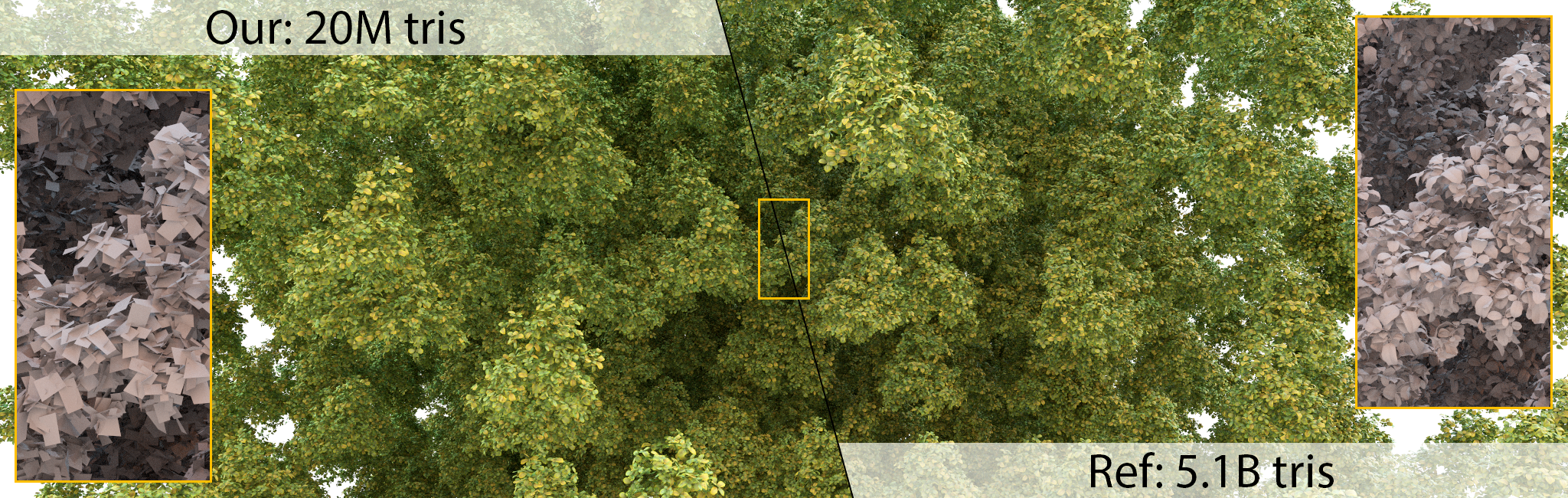


 When you zoom in, you will find many red, yellow and green noises
 This is still the case when I import the output obj into blender, but the contrast image rendered from nvdiffast does not show this situation. What is the reason?

 2.During rendering, I encountered that. mtl contains a map_ The texture of d cannot be represented in the renderer. How can I solve this problem?


 139 Jan 01, 2023
 41 Dec 12, 2022
 3 Jan 24, 2022
 176 Dec 15, 2022
 64 Dec 20, 2022
 857 Dec 29, 2022
 [email protected]">
18 Sep 10, 2022
[email protected]">
18 Sep 10, 2022
 399 Dec 28, 2022
 1 Dec 20, 2021
 9 Aug 04, 2022
 1 Nov 22, 2022
 1.7k Dec 30, 2022
 48 Dec 08, 2022
 40 Dec 04, 2022
 1.6k Jan 01, 2023
 149 Jan 08, 2023
 76 Jan 07, 2023
 2 Oct 03, 2022
 10 Nov 03, 2022
 129 Dec 24, 2022