Virtual hand gesture mouse using a webcam

Overview

NonMouse

GitHub GitHub release (latest by date) zenn

日本語のREADMEはこちら

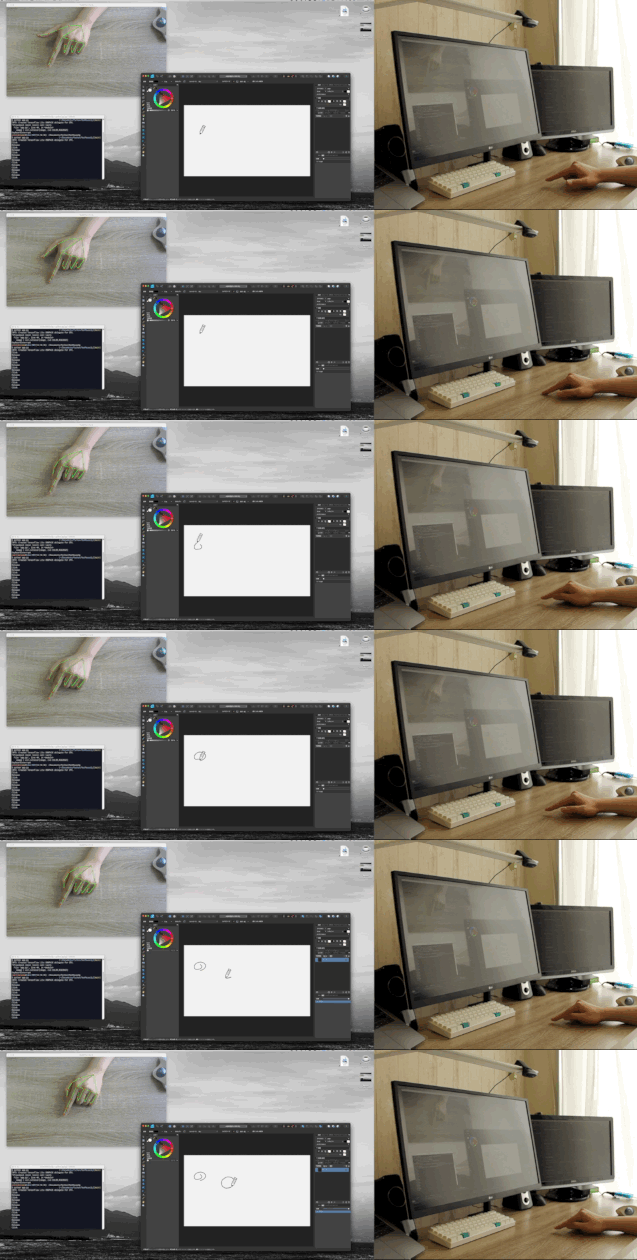
This is an application that allows you to use your hand itself as a mouse.
The program uses a web camera to recognize your hand and control the mouse cursor.

The video is available on Youtube

スクリーンショット 2021-09-13 午後5 33 21

スクリーンショット 2021-09-13 午後5 33 21

Feature

  • Entirely new mouse: a mouse with a software approach. It recognizes your hand and works as a mouse.
  • NonMouse can be invoked by the global hotkey even when this application is inactive.
  • Works well with typing
  • You can make it look like a touch display, by pointing the web camera at the display.
  • You can use the mouse wherever you want.
  • Just download from the latest release (windows, mac only)

Installation

📁 Run as executable file

Download the zip file that matches your environment from the latest release.

OR

🐍 Run as python

Run the following script.

$ git clone https://github.com/takeyamayuki/NonMouse
$ cd NonMouse
$ pip install -r requirements.txt

If you have trouble installing mediapipe, please visit the official website.

† For mac, you need to add the location where you want to run it, such as Terminal or VScode, to the Security and Privacy Accessibility and Cammera section in System Preferences.

Usage

1. Install a camera

The following three ways of placing the device are assumed.

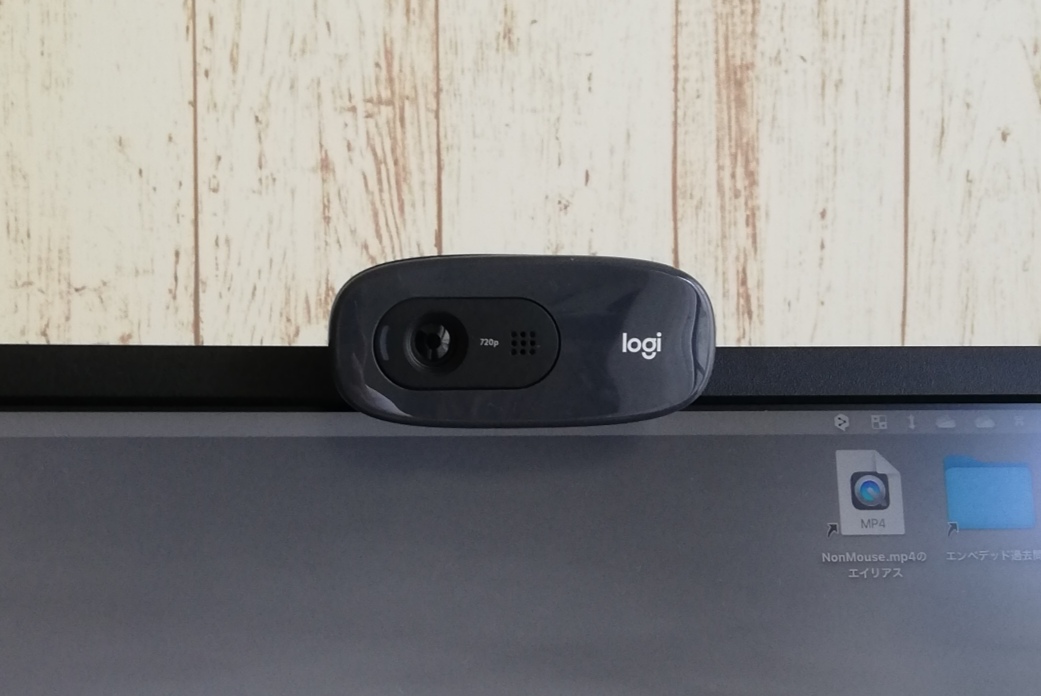
  • Normal: Place a webcam normally and point it at yourself (or use your laptop's built-in camera)

    Examples of installation methods Point the palm of your hand at the camera
    スクリーンショット 2021-09-13 午後5 33 21
    スクリーンショット 2021-09-13 午後5 33 21 スクリーンショット 2021-09-23 044041
  • Above: Place it above your hand and point it towards your hand.

    An example of installation methods Point the back of your hand at the camera.
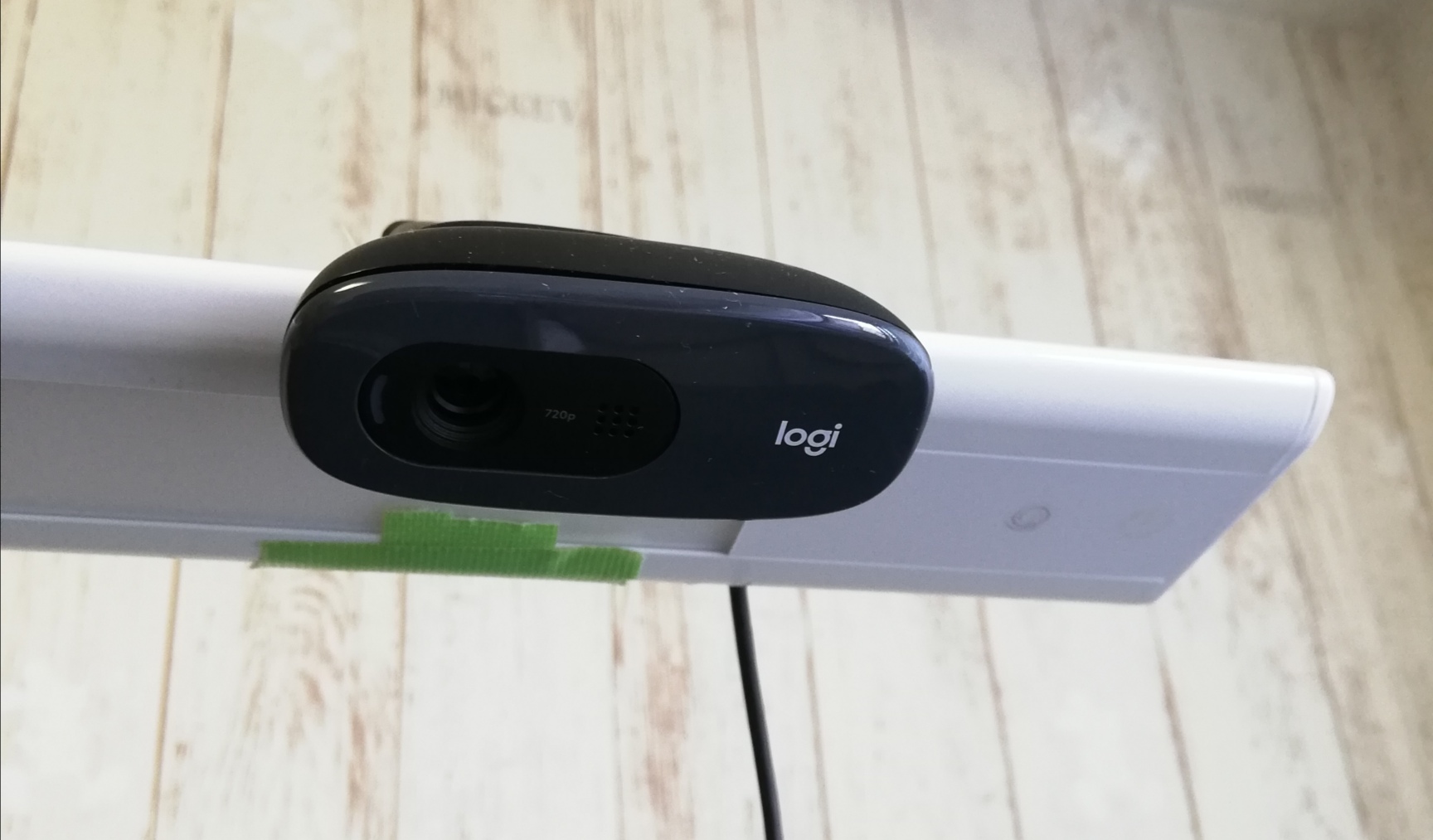
    スクリーンショット 2021-09-13 午後5 33 21 スクリーンショット 2021-09-23 044243
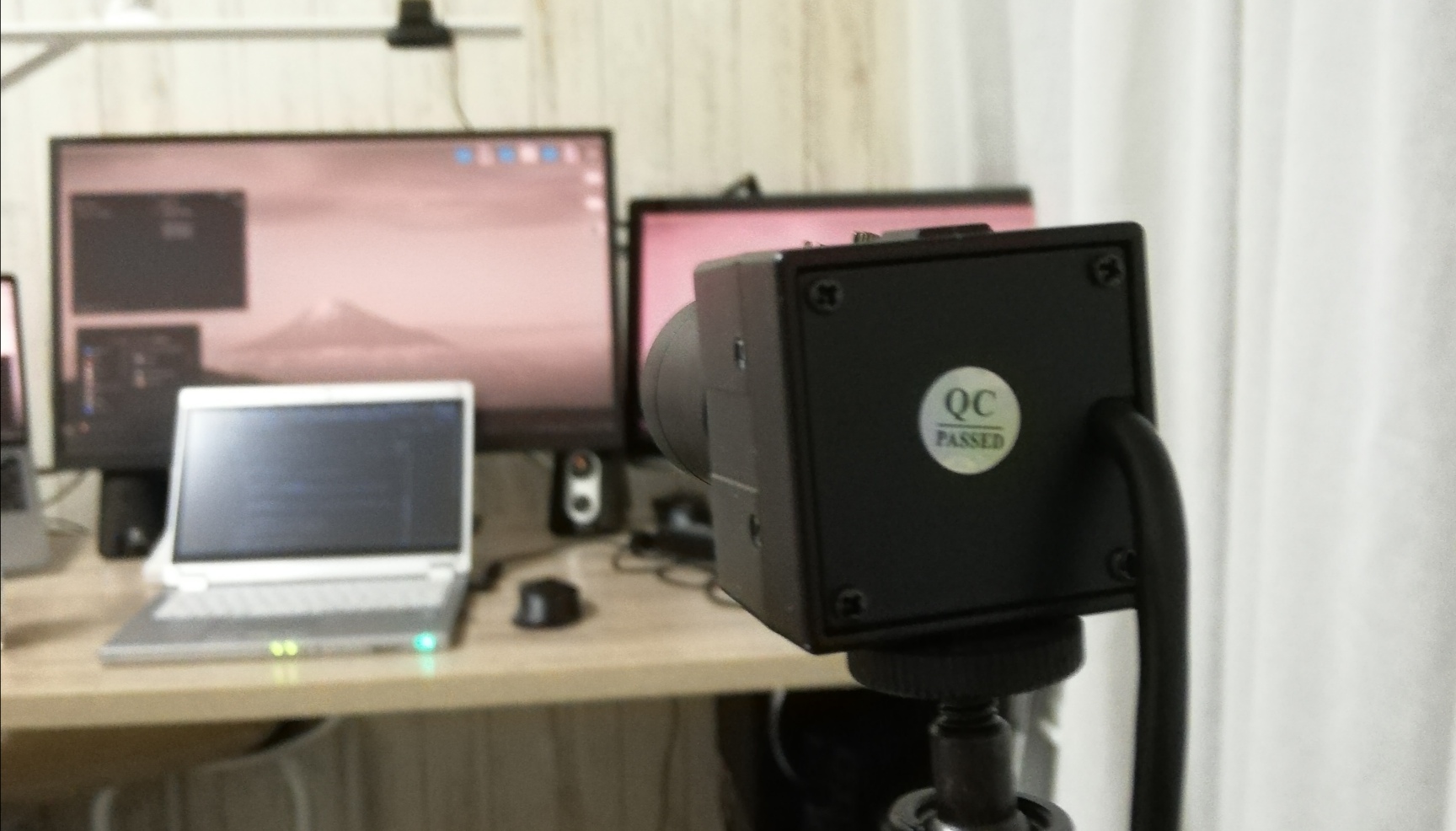
  • Behind: Place it behind you and point it at the display.

    An example of installation methods Point the back of your hand at the camera.
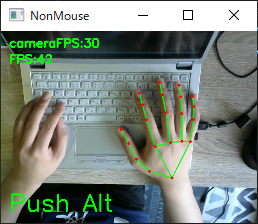
    スクリーンショット 2021-09-13 午後5 33 21 スクリーンショット 2021-09-23 044403

2. Run

  • Run the executable as described in the GitHub wiki.

    OR

  • Run the following script from the continuation of the installation.

    For windows, linux(global hotkey function does not work in linux.)

    $ python3 app.py

    For MacOS, you need execute permission.

    $ sudo python3 app.py

3. Settings

When you run the program, You will see a screen similar to the following. On this screen, you can set the camera and sensitivity.

スクリーンショット 2021-12-02 154251

  • Camera
    Select a camera device. If multiple cameras are connected, try them in order, starting with the smallest number.

  • How to place
    Select the location where you placed the camera. Place the camera in one of the following positions: Normal, Above, Behind in [ 📷 Install a Camera].

  • Sensitivity
    Set the sensitivity. If set too high, the mouse cursor will shake slightly.

When you are done with the settings, click continue. The camera image will then be displayed, and you can use NonMouse with the settings you selected.

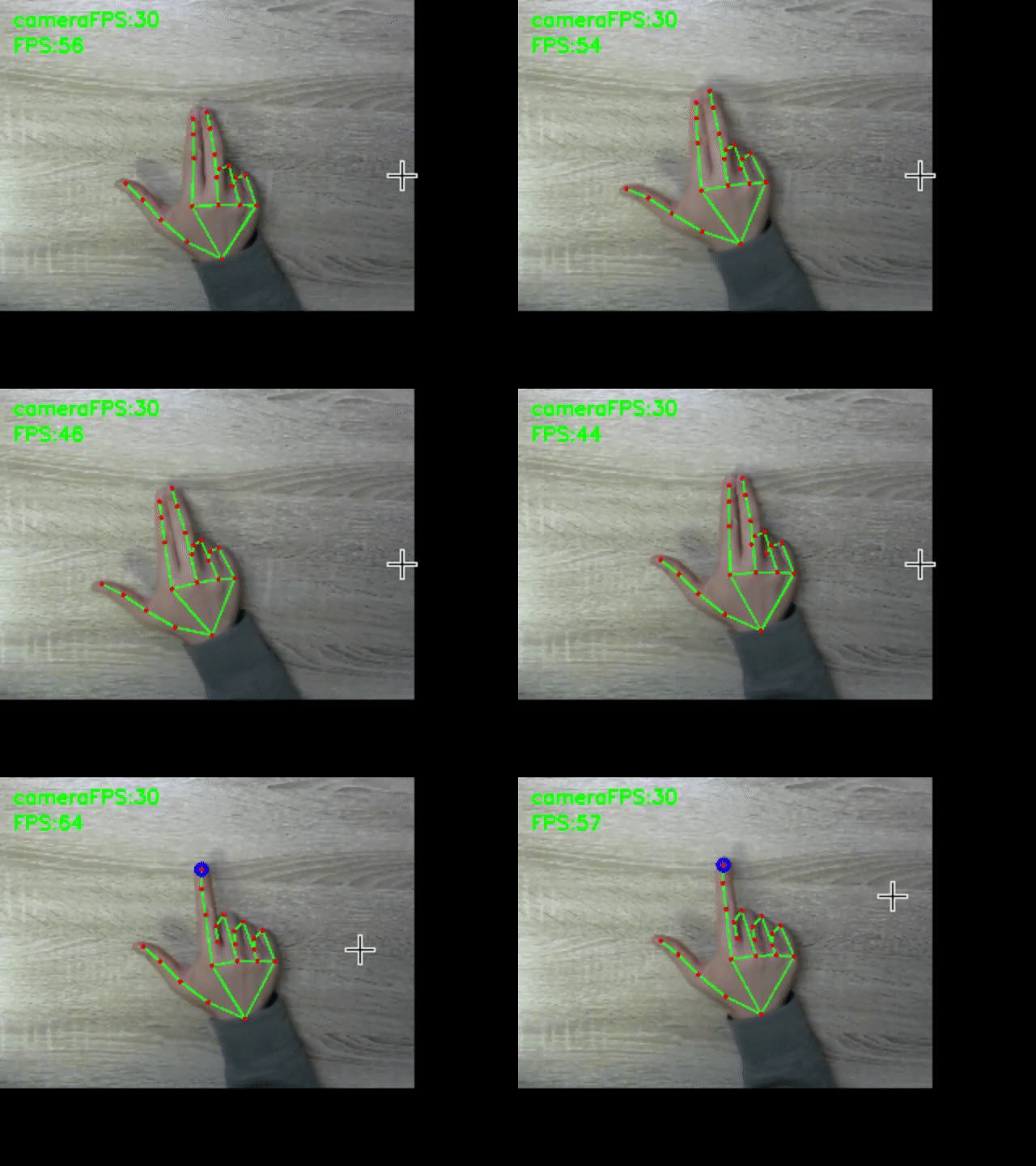
4. Hand Movements

stop cursor left click right click scroll
aaa aaa aaa aaa

The following hand movements are enabled only when you hold down Alt(Windows), Command(MacOS). You can define your own global hotkeys by rewriting here. You can use this function even if the window is not active.This feature is only available on windows and mac.

  • cursor
    • Mouse cursor: tip of index finger → A blue circle will appear at the tip of your index finger.
    • Stop mouse cursor: Attach the tip of your index finger to the tip of your middle finger. → The blue circle disappears.
  • left click
    • Left click: Attach the fingertips of your thumb to the second joint of your index finger → A yellow circle will appear on the tip of your index finger.
    • Left click release: Release the thumb fingertip and the second joint of the index finger. → The yellow circle disappears.
    • Double click: Left click twice within 0.5 seconds.
  • other
    • Right click: Hold the click state for 1.5 second without moving the cursor. → A red circle will appear at the tip of your index finger.
    • Scroll: Scroll with the index finger with the index finger folded → a black circle will appear.

† Use it with a bright light at hand.
† Keep your hand as straight as possible to the camera.

5. Quit

Press Ctrl+C, when a terminal window is active.
Press close button(Valid only on windows, linux) or Esc key, when an application window is active.

Build

† The built binary files can be downloaded from latest realease.

In app-mac.spec and app-win.spec, change pathex to fit your environment.
Run the following scripts for each OS.

  • windows

    Copy and paste the location obtained by pip show mediapipe into datas, referring to what is written originally.
    Run the following script.

    $ pip show mediapipe
    ...
    Location: c:\users\namik\appdata\local\programs\python\python37\lib\site_packages
    ...
    #Copy and paste into the datas in app-win.spec
    $ pyinstaller app-win.spec
    ... ````
  • mac

    Create a venv environment and perform pip install, because the directory specified in datas is for an assumed venv environment.

    $ python3 -m venv venv
    $ . venv/bin/activate
    (venv)$ pip install -r requirements.txt
    (venv)$ pyinstaller app-mac.spec
Comments
  • error: PyObjC requires macOS to build

    error: PyObjC requires macOS to build

    Hello. When installing requirements on Linux I get this error:

    Collecting pyobjc-core==7.3
      Downloading pyobjc-core-7.3.tar.gz (684 kB)
         ━━━━━━━━━━━━━━━━━━━━━━━━━━━━━━━━━━━━━━━━ 684.2/684.2 KB 5.4 MB/s eta 0:00:00
      Preparing metadata (setup.py) ... error
      error: subprocess-exited-with-error
      
      × python setup.py egg_info did not run successfully.
      │ exit code: 1
      ╰─> [2 lines of output]
          running egg_info
          error: PyObjC requires macOS to build
          [end of output]
      
      note: This error originates from a subprocess, and is likely not a problem with pip.
    error: metadata-generation-failed
    
    × Encountered error while generating package metadata.
    ╰─> See above for output.
    
    opened by jbrepogmailcom 2
  • ZeroDivisionErrorでクラッシュする

    ZeroDivisionErrorでクラッシュする

    cfps = int(cap.get(cv2.CAP_PROP_FPS)) でcfpsが1になって if cfps < 30: cap.set(cv2.CAP_PROP_FRAME_WIDTH, cap_width) cap.set(cv2.CAP_PROP_FRAME_HEIGHT, cap_height) cfps = int(cap.get(cv2.CAP_PROP_FPS)) を通してもcfpsが1になり、 ran = int(cfps/10) でranが0になってしまい、ZeroDivisionErrorでクラッシュします。

    環境は以下の通りです PC: MacBook Pro 2020 Intel OS: macOS Monterey カメラ: Mac内蔵Webカメラ Pythonバージョン: 3.9.7

    opened by takpika 2
  • MacOS MontereyでカメラFPSが5Hz程度になる

    MacOS MontereyでカメラFPSが5Hz程度になる

    https://github.com/takeyamayuki/NonMouse/blob/1e7f7bc5e9f52a29196ae631b4cb7e83a910aa27/app.py#L117-L121

    cfps = int(cap.get(cv2.CAP_PROP_FPS))で取得するカメラのFPSが5Hzになってしまい、カーソルが小刻みに揺れてしまう。 これは恐らく、cv2の問題だと思われる。

    opened by takeyamayuki 0
  • How to set screen size?

    How to set screen size?

    Hello the mouse only works on left two thirds of the screen. I gues it has something to do with screen size, my lapto has 1920x1080. Can I reconfigure it somewhere?

    opened by jbrepogmailcom 1
  • カメラや手が傾くと、自分の指先移動量に対するマウス移動量が異なってしまう

    カメラや手が傾くと、自分の指先移動量に対するマウス移動量が異なってしまう

    たとえば、カメラを斜めに取り付けると、カメラに映る指は縦方向に圧縮されたものになり、当然移動量もその分小さくなる。 現在の自分の環境だと手に向けてまっすぐ取り付けられているので問題はないが、初めて使う人にとってはこのアプリケーションを使う上での大きな壁となる。

    「解決策」 まず、基準となる指の関節座標を用意しておく。 その基準となる座標群と現在の座標群を比較して手の傾き具合を求める。 それによって、dx,dy変える

    opened by takeyamayuki 0
Releases(2.6.0)
Benchmark datasets, data loaders, and evaluators for graph machine learning

Overview The Open Graph Benchmark (OGB) is a collection of benchmark datasets, data loaders, and evaluators for graph machine learning. Datasets cover

1.5k Jan 05, 2023
A toolkit for controlling Euro Truck Simulator 2 with python to develop self-driving algorithms.

europilot Overview Europilot is an open source project that leverages the popular Euro Truck Simulator(ETS2) to develop self-driving algorithms. A con

1.4k Jan 04, 2023
A research toolkit for particle swarm optimization in Python

PySwarms is an extensible research toolkit for particle swarm optimization (PSO) in Python. It is intended for swarm intelligence researchers, practit

Lj Miranda 1k Dec 30, 2022
Skyformer: Remodel Self-Attention with Gaussian Kernel and Nystr\"om Method (NeurIPS 2021)

Skyformer This repository is the official implementation of Skyformer: Remodel Self-Attention with Gaussian Kernel and Nystr"om Method (NeurIPS 2021).

Qi Zeng 46 Sep 20, 2022
This is the official code for the paper "Learning with Nested Scene Modeling and Cooperative Architecture Search for Low-Light Vision"

RUAS This is the official code for the paper "Learning with Nested Scene Modeling and Cooperative Architecture Search for Low-Light Vision" A prelimin

Vision & Optimization Group (VOG) 2 May 05, 2022
catch-22: CAnonical Time-series CHaracteristics

catch22 - CAnonical Time-series CHaracteristics About catch22 is a collection of 22 time-series features coded in C that can be run from Python, R, Ma

Carl H Lubba 229 Oct 21, 2022
Implementation of Gans

GAN Generative Adverserial Networks are an approach to generative data modelling using Deep learning methods. I have currently implemented : DCGAN on

Sibam Parida 5 Sep 07, 2021
Iran Open Source Hackathon

Iran Open Source Hackathon is an open-source hackathon (duh) with the aim of encouraging participation in open-source contribution amongst Iranian dev

OSS Hackathon 121 Dec 25, 2022
[CVPR 2020] Transform and Tell: Entity-Aware News Image Captioning

Transform and Tell: Entity-Aware News Image Captioning This repository contains the code to reproduce the results in our CVPR 2020 paper Transform and

Alasdair Tran 85 Dec 13, 2022
Cookiecutter PyTorch Lightning

Cookiecutter PyTorch Lightning Instructions # install cookiecutter pip install cookiecutter

Mazen 8 Nov 06, 2022
Code and dataset for ACL2018 paper "Exploiting Document Knowledge for Aspect-level Sentiment Classification"

Aspect-level Sentiment Classification Code and dataset for ACL2018 [paper] ‘‘Exploiting Document Knowledge for Aspect-level Sentiment Classification’’

Ruidan He 146 Nov 29, 2022
GANTheftAuto is a fork of the Nvidia's GameGAN

Description GANTheftAuto is a fork of the Nvidia's GameGAN, which is research focused on emulating dynamic game environments. The early research done

Harrison 801 Dec 27, 2022
All the code and files related to the MI-Lab of UE19CS305 course in sem 5

Machine-Intelligence-Lab-CS305 The compilation of all the code an drelated files from MI-Lab UE19CS305 (of batch 2019-2023) offered by PES University

Arvind Krishna 3 Nov 10, 2022
Language Used: Python . Made in Jupyter(Anaconda) notebook.

FACE-DETECTION-ATTENDENCE-SYSTEM Made in Jupyter(Anaconda) notebook. Language Used: Python Steps to perform before running the program : Install Anaco

1 Jan 12, 2022
Semi-supervised Learning for Sentiment Analysis

Neural-Semi-supervised-Learning-for-Text-Classification-Under-Large-Scale-Pretraining Code, models and Datasets for《Neural Semi-supervised Learning fo

47 Jan 01, 2023
The code of Zero-shot learning for low-light image enhancement based on dual iteration

Zero-shot-dual-iter-LLE The code of Zero-shot learning for low-light image enhancement based on dual iteration. You can get the real night image tests

1 Mar 18, 2022
Medical image analysis framework merging ANTsPy and deep learning

ANTsPyNet A collection of deep learning architectures and applications ported to the python language and tools for basic medical image processing. Bas

Advanced Normalization Tools Ecosystem 118 Dec 24, 2022
pyspark🍒🥭 is delicious,just eat it!😋😋

如何用10天吃掉pyspark? 🔥 🔥 《10天吃掉那只pyspark》 🚀

lyhue1991 578 Dec 30, 2022
Learn about quantum computing and algorithm on quantum computing

quantum_computing this repo contains everything i learn about quantum computing and algorithm on quantum computing what is aquantum computing quantum

arfy slowy 8 Dec 25, 2022
Stacked Hourglass Network with a Multi-level Attention Mechanism: Where to Look for Intervertebral Disc Labeling

⚠️ ‎‎‎ A more recent and actively-maintained version of this code is available in ivadomed Stacked Hourglass Network with a Multi-level Attention Mech

Reza Azad 14 Oct 24, 2022